You picked TutorLMS. You built your courses, configured your quizzes, set up drip schedules, and launched your first cohort.
Then 40 students start a timed quiz at the same time, and everything falls apart.
Quiz submissions time out. Progress bars freeze. Students refresh the page and lose their answers. Your support inbox fills up with panicked emails from learners who think they failed because the site crashed.
Here's what nobody tells you when you're choosing a WordPress LMS plugin: TutorLMS (and every serious LMS) is one of the most resource-intensive workloads you can run on WordPress. And the hosting that worked fine for your blog or landing page will absolutely buckle under the weight of a live course platform.
Your learners deserve better. Let's break down what TutorLMS actually needs from a host and what to look for when you're evaluating options.
Why Course Sites Can't Survive on Generic Hosting
A standard WordPress site serves the same cached page to every visitor. Your server generates the HTML once, stores it, and hands out copies. Cheap, fast, efficient.
TutorLMS throws that model out the window.
When a student loads a lesson page, your server has to:
Authenticate the student's session and enrollment status
Check content drip rules to decide whether this lesson is unlocked yet
Pull their individual progress data (completed lessons, quiz scores, certificates earned)
Verify prerequisite completion before granting access to advanced modules
Render a personalized page that's completely different from what every other student sees
That's a database query storm on every single page load. And unlike a blog post that gets cached once and served a million times, each student's request generates a unique response.
Now multiply that by 50 students navigating lessons simultaneously. Or 100 students submitting quiz answers during a live cohort session. Each of those requests requires a PHP worker, a database connection, and server memory. Generic hosting runs out of all three.
The Caching Paradox That Breaks LMS Sites
This is the trap most course creators fall into.
Your site feels slow, so you install a caching plugin. Pages load faster for logged-out visitors. You think the problem is solved.
Then a student reports that they completed a lesson but it still shows as locked. Another student sees someone else's quiz results. A third student can't access a course they paid for because the cached page doesn't reflect their enrollment.
Page caching and LMS platforms are fundamentally incompatible for logged-in users. Caching serves stored HTML without running the enrollment checks, progress tracking, and access control logic that TutorLMS depends on. When your caching plugin serves Student A a page generated for Student B, you don't just have a performance problem. You have a broken product.
The solution isn't to disable caching entirely (that makes your site crawl). The solution is the right kind of caching at the right layer. More on that in a moment.
What Your TutorLMS Site Actually Needs From Hosting
Not every "managed WordPress host" can handle LMS workloads. Here's the checklist that actually matters for running TutorLMS without headaches.
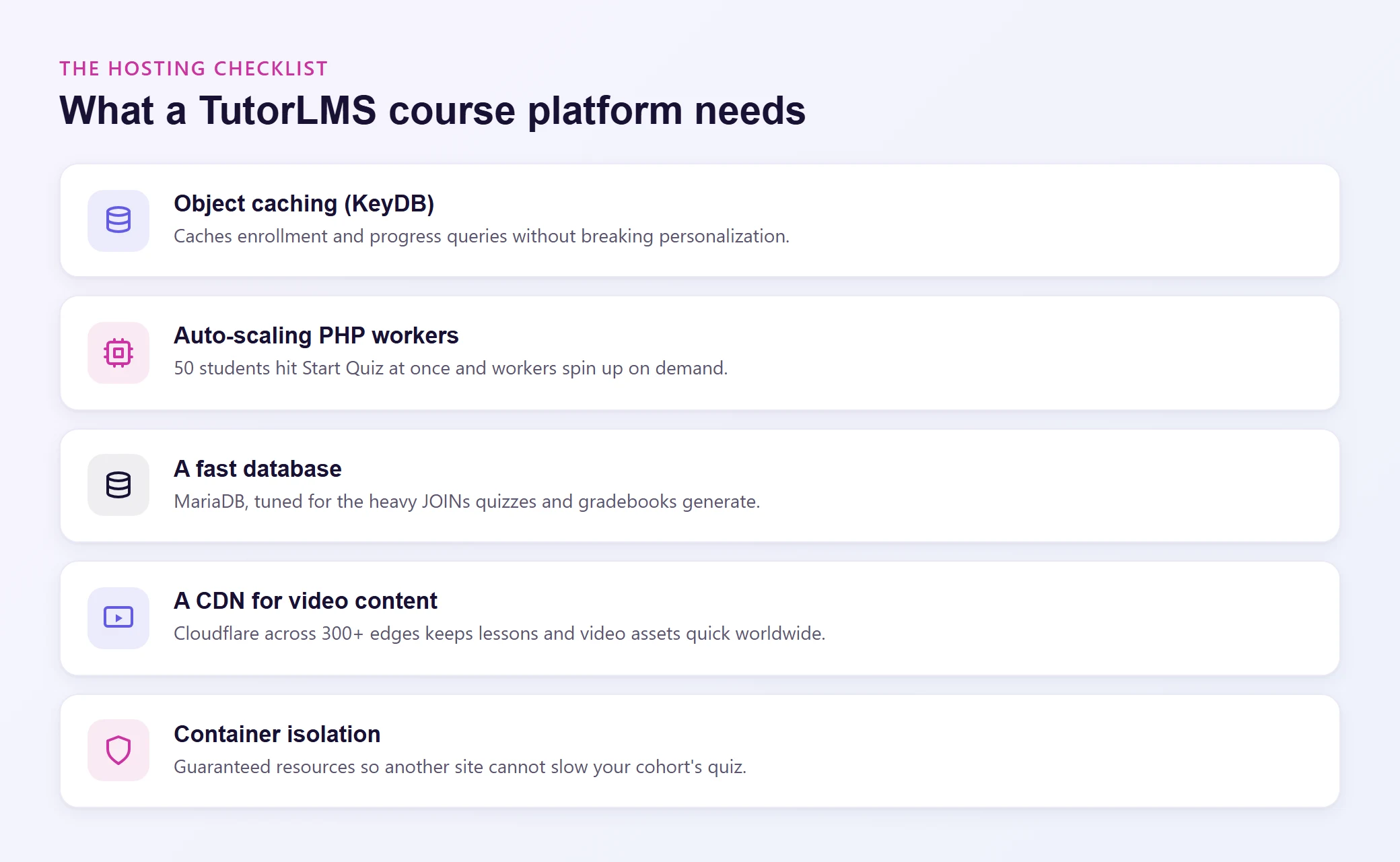
Object Caching (The Right Kind of Caching)
Object caching works at the database query level, not the page level. Instead of caching entire HTML pages (which breaks personalized content), it caches the results of individual database queries in memory.
When TutorLMS checks whether Student A has completed Lesson 3, that query hits the database the first time. Object caching stores the result in RAM. The next time the same query runs, the answer comes from memory in microseconds instead of milliseconds from the database.
This is transformative for LMS workloads because the same types of queries run thousands of times per hour: enrollment checks, progress lookups, prerequisite validations, quiz score retrievals. Object caching intercepts all of them without breaking any of TutorLMS's personalization logic.
But here's the nuance most hosts miss. Standard Redis is single-threaded. It processes one cache request at a time. When 60 students are active simultaneously and each generating dozens of cached queries per page load, single-threaded caching becomes a bottleneck.
KeyDB fixes this. It's a multithreaded fork of Redis that handles concurrent requests in parallel instead of queuing them. For a TutorLMS site with active learners, this is the difference between a responsive course platform and one that slows down in proportion to enrollment.
Levamo includes KeyDB + Redis object caching on Business plans and above, specifically because LMS and membership workloads demand it.
PHP Workers That Scale With Your Cohorts
Every dynamic page request on your TutorLMS site requires a PHP worker to process it. Quiz submissions, lesson completions, certificate generation, grade calculations: each one occupies a worker until it's done.
Here's where course sites get hit hardest. When a cohort of 50 students starts a quiz simultaneously, you need 50 PHP workers available right now, not in 30 seconds after the server notices the spike.
Hosts that share PHP workers across multiple sites on the same server are a recipe for timeout errors during exactly the moments that matter most: live assessments, enrollment surges, and course launch days.
Look for hosting with dedicated, auto-scaling PHP workers. When your cohort hits "Start Quiz" at the same time, your server should spin up additional workers on demand instead of queuing requests until students start seeing 504 errors.
A Database That Can Handle Complex Queries
TutorLMS is database-heavy. Course structures, lesson progress, quiz attempts, gradebook entries, certificate records, enrollment statuses: all of it lives in your database. And TutorLMS doesn't just run simple lookups. It runs complex JOIN queries that pull data from multiple tables simultaneously.
Quiz-attempt data, for instance, can involve a single query that takes over 1.5 seconds to run. On a shared database server competing with other sites, that delay compounds rapidly.
MariaDB handles these query patterns more efficiently than older MySQL setups. Its query optimizer is specifically better at the multi-table JOINs that LMS plugins generate constantly. When paired with object caching, your database only needs to execute each expensive query once before the result is cached in memory.
CDN for Video-Heavy Course Content
Most online courses involve video. Whether you're embedding from YouTube/Vimeo or (more ambitiously) self-hosting your course videos, a CDN is non-negotiable.
For embedded video, your CDN handles the surrounding page assets: your theme CSS, JavaScript, images, thumbnails, and downloadable resources. Fast delivery of these assets means the page loads quickly and the embedded player appears immediately.
For self-hosted video, a CDN with global edge locations is the difference between smooth playback and constant buffering. A student in Singapore watching a course hosted on a US server without a CDN is going to have a miserable experience.
Enterprise Cloudflare CDN also handles DDoS protection, bot filtering, and SSL termination at the edge, which matters for course sites that handle payments and student data. Levamo includes Enterprise Cloudflare CDN across 300+ locations on every plan, not as an add-on.
Container Isolation (Your Resources Stay Yours)
Shared hosting means shared resources. If another site on your server gets a traffic spike, your TutorLMS site slows down through no fault of your own.
For a course platform, this is unacceptable. Imagine running a live cohort quiz while another site on your shared server gets hit by a bot crawl. Your students experience timeouts because someone else's traffic consumed the resources your quizzes needed.
Container isolation gives your site its own walled-off environment with guaranteed CPU, memory, and I/O. Your course platform performs consistently regardless of what's happening elsewhere on the server.
How Levamo Handles TutorLMS Workloads
Levamo was built by the co-founders of BuddyBoss, the most widely used community and LMS platform in the WordPress space. That origin shaped the entire hosting stack: it wasn't designed for blogs and retrofitted for dynamic workloads. It was built from the ground up for logged-in, database-heavy applications like course platforms.
Here's the infrastructure that makes a measurable difference for TutorLMS:
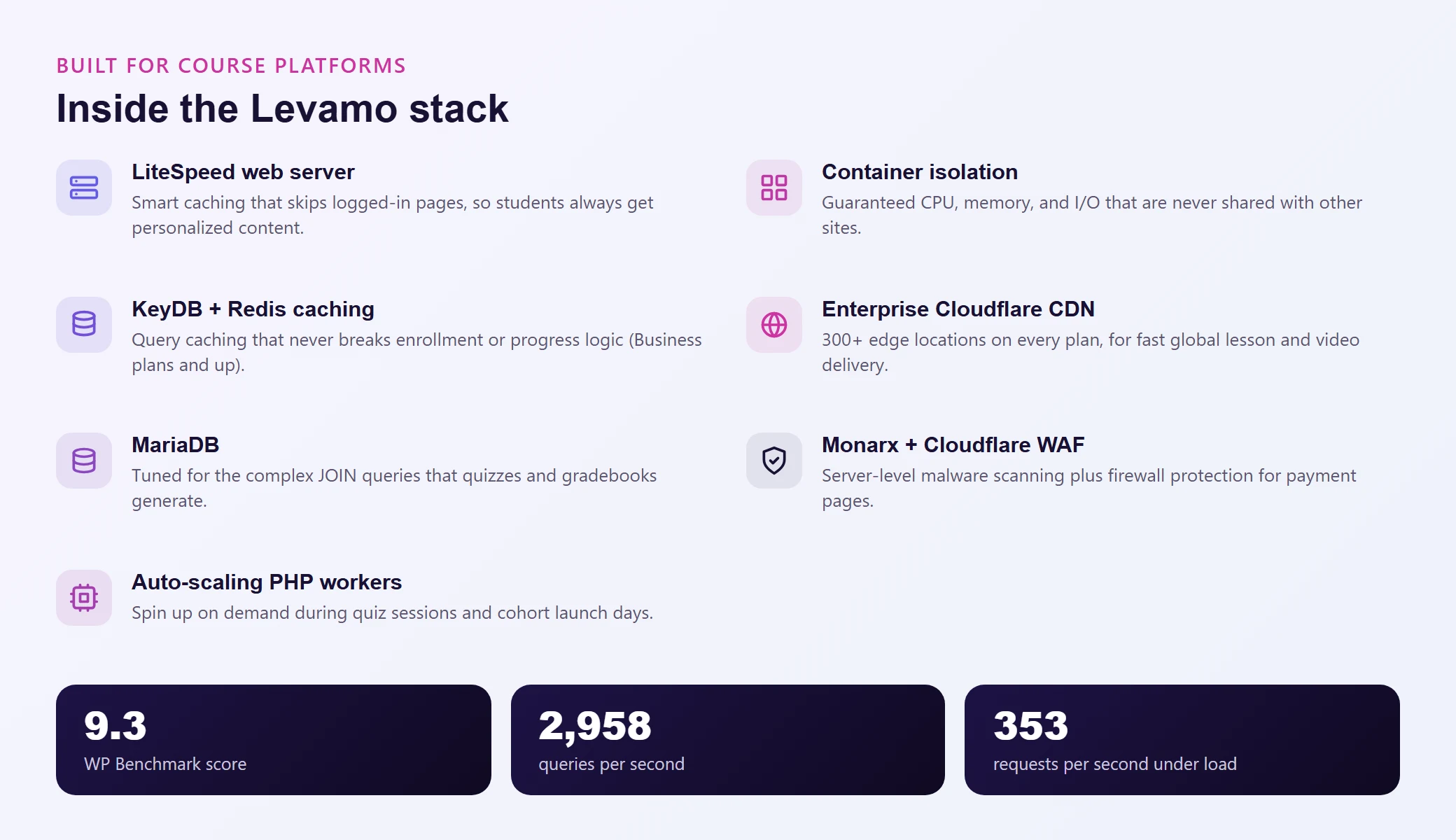
Those benchmarks matter most for TutorLMS sites where every request triggers real database work, not just static file delivery.
If you're building on TutorLMS and want an overview of how it compares to other LMS options, check out our guide to the best WordPress LMS plugins. And if you're just getting started with TutorLMS setup, our complete build guide walks through the process step by step.
Support That Understands LMS Workloads
Here's something you won't find on a comparison chart. When you contact Levamo support, you're talking to a team that works with LMS and membership sites daily. They understand plugin conflicts between TutorLMS and caching setups, database optimization for quiz-heavy sites, and the server-level tuning that course platforms need.
That's a 24/7/365 team with a 4.6/5 CSAT rating and sub-minute live chat response times. For course creators who aren't server administrators (and don't want to be), this is often the reason they stay.
Migrating Your Course Site (Without Losing Student Data)
Switching hosts when you have active students feels risky. Enrollments, quiz progress, completion records, certificates: there's a lot of data that absolutely cannot get lost or corrupted in transit.
Levamo's White Glove Migration handles the entire process:
Their team assesses your current TutorLMS setup (plugins, database size, custom configurations, video storage)
They migrate everything to a temporary URL for you to test
You verify that course content, student progress, enrollments, and quiz data all transferred correctly
Once confirmed, they cut over with minimal downtime
It's free on all plans, completed within 48 business hours, and you don't have to touch a terminal or worry about breaking student records.
Plans That Scale With Your Course Business
A solo creator selling one course has different needs than an academy running 30 courses with 5,000 enrolled students. Your hosting should scale with you.
| Feature |
Starter ($29/mo) |
Business ($99/mo) |
Performance ($299/mo) |
| PHP Workers |
Dedicated |
Dedicated + auto-scaling |
Dedicated + auto-scaling |
| Object Caching |
Basic |
KeyDB + Redis |
KeyDB + Redis |
| CDN |
Enterprise Cloudflare |
Enterprise Cloudflare |
Enterprise Cloudflare |
| Search |
WordPress default |
WordPress default |
ElasticPress |
| Backups |
Daily |
Daily |
Daily |
| Support |
24/7 live chat |
24/7 live chat |
24/7 live chat |
Most TutorLMS course sites should start on the Business plan. Object caching is essential as soon as you have concurrent learners actively navigating lessons and taking quizzes. The Starter plan works for building and testing your courses before launch, but once you have paying students, KeyDB + Redis object caching becomes the single biggest performance upgrade you can make.
If your academy grows to thousands of students and you need fast course/lesson search, the Performance plan adds ElasticPress, which offloads search to a dedicated engine and dramatically improves catalog browsing and content discovery.
You can try Levamo for $1 for your first month, and every plan includes a 30-day money-back guarantee. Migrate your TutorLMS site over, run your own tests, and see the difference before you commit.
Wrapping Up
TutorLMS is a powerful course platform, but it's also one of the most demanding workloads you can put on WordPress. Every logged-in student generates personalized, database-heavy requests that generic hosting simply wasn't built to handle. The right hosting stack (server-level object caching, dedicated PHP workers, a fast database engine, and real container isolation) turns a sluggish course site into one where quizzes submit instantly, lessons load without lag, and your students focus on learning instead of fighting your infrastructure.
Your students don't care about server specs. They care that the quiz doesn't time out, the video doesn't buffer, and their progress actually saves. The hosting you choose determines whether that happens.