What is Elementor?
Before we answer the question, here’s another question that users commonly ask: are WordPress and Elementor the same? Or, what is Elementor WordPress? To answer briefly, no! They’re not the same. WordPress is a CMS you can build your websites on, while…
Elementor is a drag-and-drop page builder for WordPress that lets you create fully designed websites without writing code. It comes with a visual editor, pre-built templates, and tons of widgets for everything from buttons and forms to pricing tables and animations.
So is Elementor for WordPress free? Technically, yes.
There are two versions:
-
Elementor Free - A basic version with limited widgets and design options.
-
Elementor Pro - The premium version ($59/year for a single site) that unlocks advanced features like the Theme Builder, WooCommerce integration, Popup Builder, and more.
It has been a lifesaver for freelancers, agencies, and business owners who don’t want to mess around with complex code but still want professional-looking websites.
That said, Elementor is not without its flaws, and some developers absolutely hate it.
So, where does it stand today?
What Elementor Does Well
1. Ridiculously Easy to Use (Especially for Non-Developers)
One of Elementor’s biggest strengths has always been its ease of use.
Instead of dealing with WordPress’s sometimes clunky block editor (Gutenberg), Elementor gives you a fully visual interface. You simply drag elements onto the page and adjust them in real time - no need to constantly preview or refresh.
As one Reddit user put it:
“Elementor is a breath of fresh air compared to the block editor. The UI makes sense, and I don’t need to hunt around to change a font size.”
For anyone who isn’t a developer, this is a huge deal. You can build complex layouts, add animations, and fine-tune every part of your site without ever opening the WordPress backend.
2. Feature-Rich (You Can Build Almost Anything)
Elementor Pro, in particular, is stacked with features:
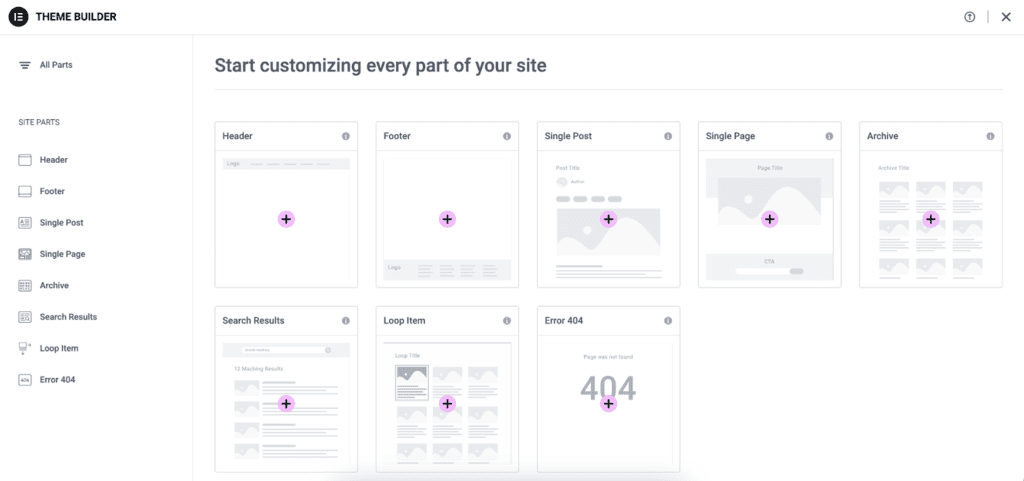
- Theme Builder - Design custom headers, footers, blog layouts, and even WooCommerce pages.
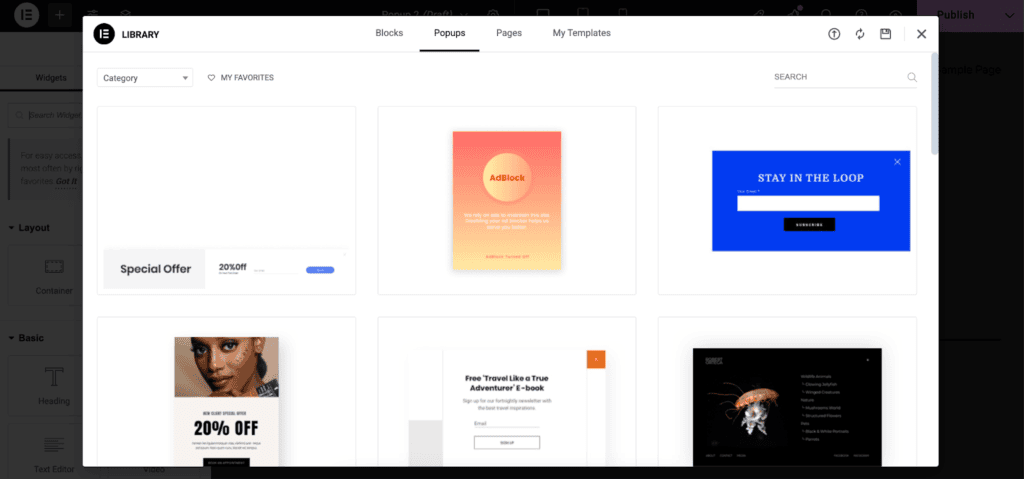
- Popup Builder - Create popups without needing an extra plugin.
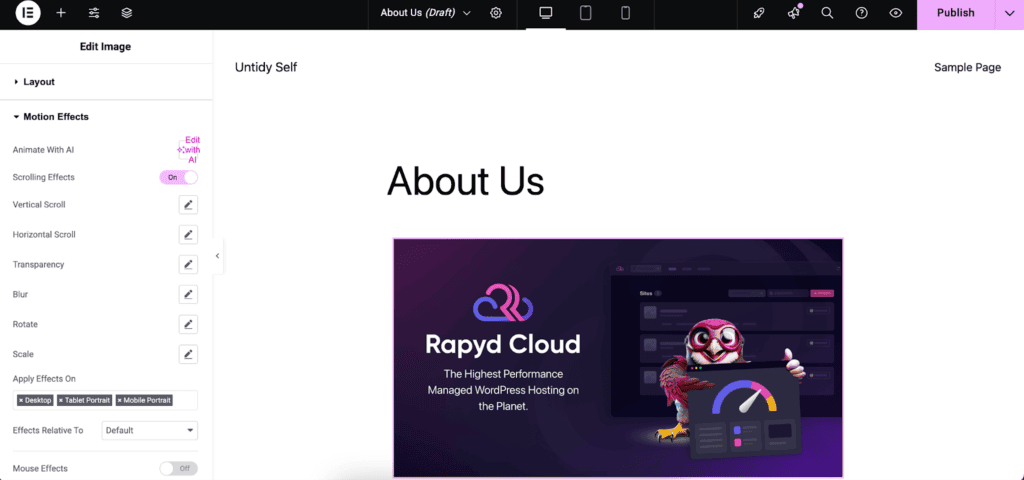
- Motion Effects & Animations - Parallax scrolling, hover effects, entrance animations, etc.
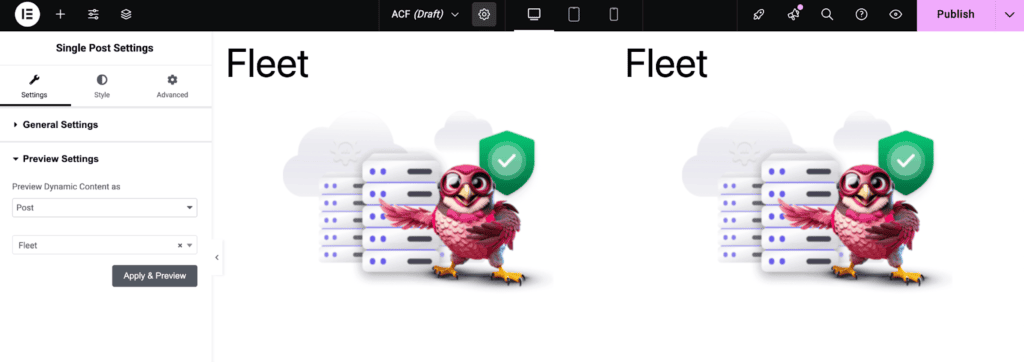
- Dynamic Content - Pull in data from custom fields (ACF, MetaBox) for more dynamic pages.
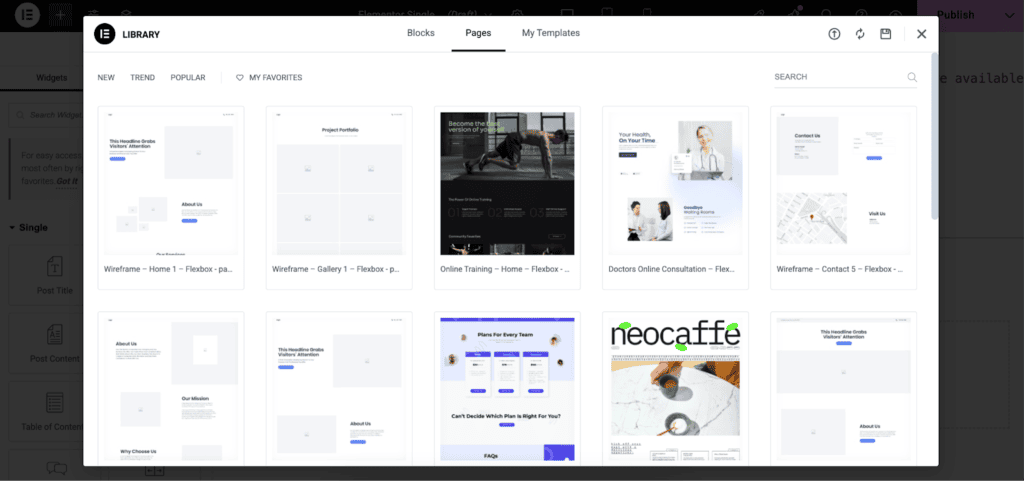
- Huge Template Library - Pre-built designs that speed up site creation.
Essentially, Elementor makes web design accessible to anyone, and that’s why it’s still one of the most popular builders in 2025.
Since Elementor is so widely used, there’s a massive community around it. You’ll find:
-
Countless YouTube tutorials and blog posts.
-
Thousands of third-party add-ons that expand Elementor’s functionality.
-
A dedicated Facebook group and Reddit community where users help each other.
If you ever get stuck, chances are someone else has already found a solution.
Where Elementor Still Falls Short
This is where things get a little interesting. While Elementor is extremely popular and used by millions, some things bother users on a level that leaves them frustrated with the plugin. So, before we sum up the issues with Elementor, let's take a look at some real feedback from users.
Note: The following feedback is not the views of the author or Levamo.
Unfiltered Feedback from Redditors
To dig deeper into the frustrations of users, I created a thread in the unofficial subreddit for Elementor: What are your biggest frustrations with Elementor?
And to say the least, over 50 Redditors chimed in to voice their frustrations.
u/thomisawesome "There are quite a few things, but one of the dumbest and most annoying things is with any of the areas where you can adjust top/bottom/right/left, like padding or margin.
If I had a left margin of 10px, when I come back to it later and want to change just that number, the "adjust all" mark is automatically checked. When I uncheck it, everything zeroes out, and I lose my previous number.
I don't know why that option is automatically selected, or why it zeroes out when I uncheck it. Minor, but extremely annoying. A productivity speedbump."
Another user (u/slimpuffs) laid down an entire list of his issues with the plugin:
"These sound minor at first glance, but it adds up.
-
This is already the top voted comment but I'll say it again - padding/margins resetting when going into a different reponsive mode. Dumbest ever, and has been there for years. Even Divi doesn't do this.
-
Automatically adding 20 pixels at the bottom of a text element (specifically paragraphs, headlines are excluded from this)
-
Image/Icon box styling - it seems if you adjust something, it'll only actually show if you switch back and forth between the Content and Style tab. Custom SVGs don't even show up at all unless you do the tab dance.
-
Overlays sometimes lie. An opacity of 0.5 might look way too light while in edit mode, but on the live page it's considerably darker. Doesn't always happen though, not sure what causes the discrepancy.
-
The sliders are very basic. The Plus Elements has a nice 'slider anything' widget which I'd like to see added to Elementor.
-
Media Carousel - you can have either images or videos within the carousel - cool. But you can't use self-hosted videos because...why?
-
I'd like to have the option of completely hiding elements that are hidden due to responsive mode settings, instead of just being greyed out and affecting the layout while editing. I get why they do it that way, but it's annoying.
-
Global widgets - Stop making me unlink a global widget just because I want to delete it from the page. It's literally impossible to delete a global widget once it's placed on the page unless you unlink it.
-
I much prefer the way Divi handles global sections. Elementor doesn't really have that kind of system, other than using template shortcodes I guess. Divi does it better though.
-
Contact Forms - If you create a basic form using the Form widget, and want to set the Reply-To field to the Email field, you usually have to refresh the page before that option appears in the dropdown. Minor, but annoying running into it every time.
-
If I set a text element to use a global font/typography, but want to adjust the font-size in this particular instance, I have to fuck with the unit dropdown before I can get what I want. For instance, lets say I apply a global style to a text element and it's at 1.2rem (the global default). If I want to make it 1.8rem or something, the unit automatically defaults to px. Clicking the unit dropdown and selecting rem doesn't actually change it. I have to first choose a completely different option like vw, then I can select rem, then I can actually change the size."
u/Miserable_Doughnut_9 (not sure what reason a donut has for being miserable) laid this down:
"The fact that they keep adding features when things like the loop grid or global style still are very unstable. Things shouldn’t brake as soon as your add wordfence or a more complicated theme.
And I understand that its difficult to make software 100% fool proof and compatibel with other plugins. But I run into the same frustrating issues with Elementor too often, and when i go look for a solution online I see that i’m not the only one. Meanwhile Elementor announce a new groundbreaking feature while their Loop grid feature still break 6 out of 10 times.
Anyway, I wish they did a bit more stress testing and hardening of their base features and that they include other popular plugins that might cause issues. "
There are tons of other comments as well, but to sum things up, there are the biggest frustrations users face with Elementor:
Let’s address the elephant in the room: Elementor has long been criticized for being “bloated” and slowing down websites.
Why?
-
It generates a lot of extra HTML and CSS, making pages heavier.
-
It loads multiple JavaScript files, which can slow things down.
-
Complex pages with lots of widgets can feel sluggish, especially on cheap hosting.
As one Redditor put it:
“Elementor is great… until you realize your pages are loading at a snail’s pace.”
That said, Elementor has been improving performance with updates like Flexbox Containers, which reduce unnecessary nested elements and improve loading speed. But out-of-the-box, it’s still heavier than pure Gutenberg or lightweight builders like Bricks.
However, if you run Elementor on Levamo, performance issues are nonexistent (more on that in a second).
2. Updates Can Be Buggy
Elementor rolls out frequent updates, but sometimes, these updates break things.
A common complaint among users is that new versions occasionally cause compatibility issues with themes, plugins, or even Elementor’s own widgets.
One frustrated user on Reddit shared:
“Every time I update Elementor, I hold my breath, hoping nothing breaks. It’s like playing Russian roulette.”
The safest approach? Always test Elementor updates on a staging site before applying them to a live website.
3. Official Support Could Be Better
While Elementor has a massive user community, its official support team has been criticized for slow response times.
A Redditor vented:
“I pay for Elementor Pro, but getting support feels like waiting for a snail to cross the road.”
That’s why many users rely on community forums and Facebook groups instead of Elementor’s official support.
4. Complex and Has a Learning Curve
Some users find Elementor's interface to be unintuitive and complex, especially for beginners. The plethora of options and settings can be overwhelming, leading to a steep learning curve and potential misconfigurations.
So while we can't do much about the official support or the learning curve of Elementor, at Levamo, we DO have a solution for Elementor's performance woes!

The solution: Levamo.
On cheap shared hosting, the Elementor builder can feel slow and clunky. But on a highly optimized platform that's built for speed and performance even under peak traffic, Elementor websites can perform significantly faster.
Why?
Levamo was built for performance even under heavy traffic loads, with:
✅ Advanced caching & auto-scaling - Elementor pages load instantly.
✅ Free WordPress CDN (Levamo CDN) - Global delivery for ultra-fast speeds.
✅ Modern infrastructure - NVMe storage, optimized PHP, and LiteSpeed servers.
✅ 24/7 managed WordPress hosting support - No more waiting days for answers.
✅ Advanced security - Keeping Elementor sites safe from attacks.
This means no lag, no slow editors, and no random crashes, just buttery smooth performance, even on large, complex Elementor sites.
But don't take our word for it. Read the reviews of actual users who are using Levamo: Levamo Truspilot & G2 reviews.
If you love Elementor but hate performance issues, Levamo is the answer.

All Your Websites.
One Powerful Platform.
With the Multiple Site Plans, now you can
launch 5, 10, or 100+ websites on a single Hyperspeed platform.
Get Early Bird Pricing Now
Elementor vs. Gutenberg: Which One Should You Use?
We’re only comparing Elementor vs. Gutenberg here because Gutenberg is the default WordPress editor, meaning it’s what you get out-of-the-box without installing any extra plugins. If you want comparisons with other page builders (like Divi, Bricks, or Oxygen), let us know, and we’ll cover those as well!
So, how does Elementor stack up against WordPress’s native Block Editor?
1. Ease of Use & Design Flexibility
Elementor wins when it comes to design control and ease of use.
With Elementor, you get:
✅ A true drag-and-drop builder where you can see your edits in real time.
✅ Complete control over layouts, spacing, and responsiveness without coding.
✅ A huge widget library (buttons, forms, popups, sliders, etc.).
With Gutenberg, you get:
✔️ A block-based editor that is simpler and faster but less visually intuitive.
✔️ A cleaner interface but limited design flexibility unless you use custom CSS or third-party block plugins.
✔️ A system that feels more like editing a document than designing a page.
A Reddit user summed it up well:
“Gutenberg is fine for writing blog posts, but for page layouts? Elementor all day.”
If you’re building simple content pages or blog posts, Gutenberg might be enough. But if you want custom layouts, advanced styling, and interactive elements, Elementor is the clear winner.
Gutenberg wins on performance.
Because it’s built directly into WordPress, Gutenberg is faster and more lightweight than Elementor. A site built with Gutenberg (and a well-optimized theme) generally:
✅ Loads faster because there’s no extra page builder code.
✅ Uses fewer resources (less CSS/JavaScript).
✅ Has better out-of-the-box performance on budget hosting.
On the other hand, Elementor adds extra code and scripts, which can slow down pages if not optimized properly.
One Redditor put it bluntly:
“If performance is your #1 priority, Gutenberg is the way to go. But if you need to actually design a website, Elementor wins.”
That being said, performance isn’t an issue if you’re hosting your Elementor site on Levamo. Thanks to advanced caching, auto-scaling, and a free Levamo CDN, Elementor runs just as fast as Gutenberg but without the design limitations.
3. Workflow & Customization
-
Gutenberg is great for content-focused websites. If your site is mainly blog posts, news articles, or simple pages, Gutenberg is leaner and integrates more naturally with WordPress.
-
Elementor is better for business websites, portfolios, landing pages, and sales funnels. It lets you build pages visually without needing to write code or worry about layout limitations.
One user described the difference like this:
“Gutenberg is the ‘official’ way, but Elementor is the better way if you want full creative control.”
So, Which One Should You Use?
✔️ Use Gutenberg if:
-
You want a lightweight site with maximum performance.
-
You’re fine with basic layouts and minimal design flexibility.
-
You don’t mind using CSS or extra plugins to get more design options.
✔️ Use Elementor if:
-
You want full control over your design without coding.
-
You need advanced layouts, animations, or interactive elements.
-
You want to work faster with a true drag-and-drop interface.
The bottom line? Gutenberg is great for speed, but Elementor is better for design.
And if you’re worried about Elementor’s performance, hosting on Levamo's best managed WordPress hosting eliminates that problem entirely. 🚀
Final Verdict: Is Elementor Still Worth It in 2025?
So while this Elementor review covers the most important aspects of this feature-rich plugin, it all boils down to what you want from your website. So, Elementor for WordPress is a:
✅ YES, if you want an easy, powerful way to build WordPress websites without coding.
❌ NO, if you’re obsessed with performance and want a leaner, more minimal approach.
For freelancers, agencies, and designers who value creative freedom and speed of development, Elementor is still one of the best page builders available.
And if you’re using Elementor, switching to Levamo will completely change your experience by eliminating performance issues and giving you the smoothest Elementor experience possible.
So, is Elementor still the king of page builders?
It depends on your needs, but with the right hosting (👀 Levamo), it’s still a great choice in 2025. 🚀