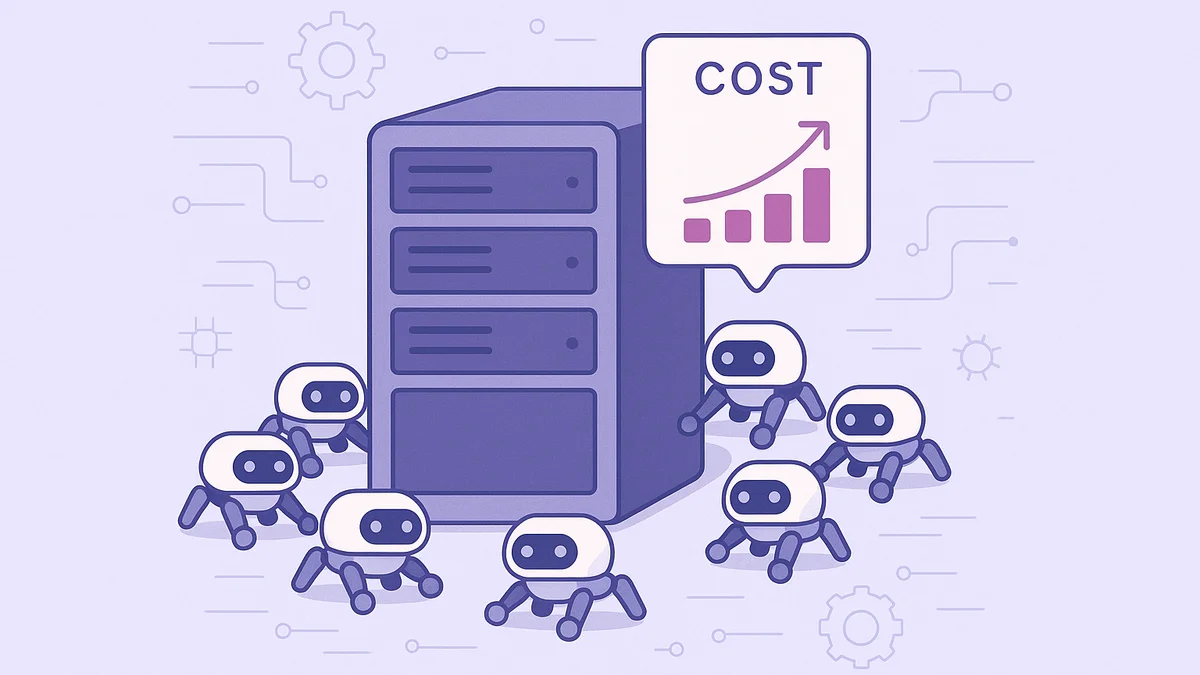
You check your hosting dashboard. Everything looks fine. Uptime is solid, your site loads fast, and you haven't changed anything in weeks. But somehow, your bandwidth usage is climbing. Your PHP workers are busier than usual. And if you're on a plan with overage charges, you might be staring at a surprise line item on your next invoice.
The culprit? AI crawlers. And they're probably hitting your site right now.
What Are AI Crawlers, and Why Are They on Your Site?
AI crawlers are automated bots used by companies like OpenAI, Anthropic, and Google to scrape website content. They use that content to train large language models, power AI search engines, or fetch pages in real time when a user asks a chatbot a question.
You've probably heard of Googlebot. It crawls your site so Google can index your pages. AI crawlers do something similar, but with a key difference: most of them aren't sending you any traffic back. They take your content, feed it into a model, and your site never sees a visitor from it.
There are three main types:
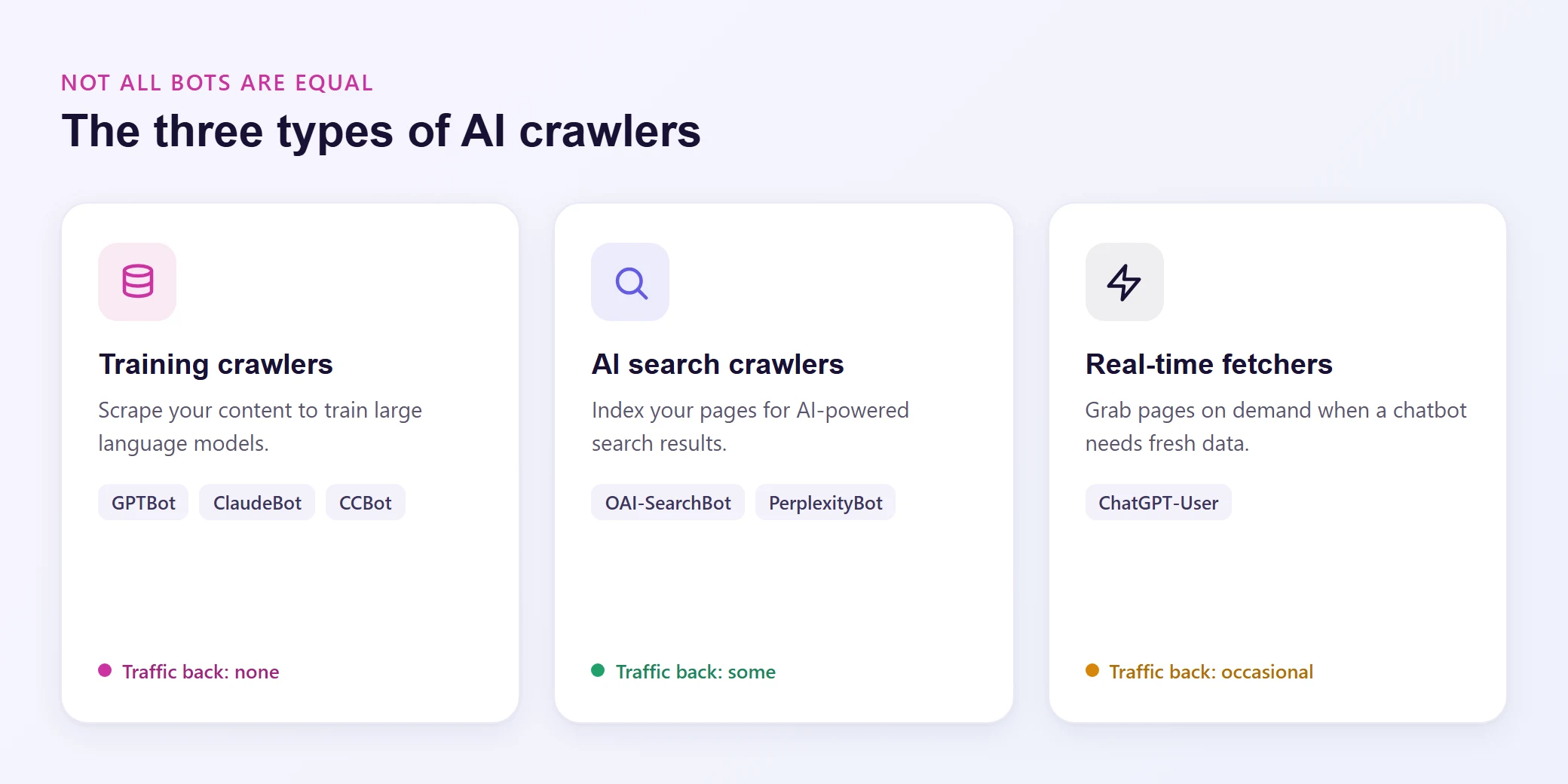
Training crawlers (GPTBot, ClaudeBot, CCBot) scrape your content to train AI models. They crawl aggressively, hit every page they can find, and offer zero direct benefit to your site.
AI search crawlers (OAI-SearchBot, PerplexityBot) index your content for AI-powered search results. These can actually drive some referral traffic, so they're worth keeping around.
Real-time fetchers (ChatGPT-User) grab your pages on demand when someone asks a chatbot a question that requires fresh data. These are sporadic but can spike unpredictably.
The Numbers Are Staggering
This isn't a theoretical problem. The data paints a clear picture.
Cloudflare reported in August 2026 that fewer than half of all HTML page requests now come from a human. Let that sink in. More than half of the traffic hitting websites globally is automated.
The Imperva 2025 Bad Bot Report found that automated traffic accounts for 51% of all web activity, with bad bots alone responsible for 37%.
And the growth rate is accelerating. According to TollBit's analysis of publisher networks, the ratio of AI bot visits to human visits shifted from 1 in 200 at the start of 2025 to 1 in 31 by Q4 2025. That's a 6.5x increase in under a year.
Your site is part of this. Whether you run a WooCommerce store, a membership community, or a course platform, AI crawlers are visiting your pages. The question is how much it's costing you.
How AI Crawlers Silently Inflate Your Hosting Costs
Here's why AI crawler traffic is different from regular bot traffic, and why it hits your wallet harder than you'd expect.
1. They Bypass Your Cache
This is the big one. When a human visitor loads your homepage, your hosting server can serve a cached version. The page is already generated, sitting in memory, ready to go. The server barely breaks a sweat.
AI crawlers don't play by those rules. They crawl deep into your site, hitting pages that aren't cached: product pages with dynamic pricing, membership content behind authentication checks, course pages with progress tracking, search result pages, paginated archives. Every one of these requests forces your server to do real work.
For a WooCommerce store, that means executing PHP, querying the database for product data, calculating shipping rules, checking inventory, and generating a full page from scratch. Multiply that by thousands of requests per day, and your server is doing a lot of unpaid labor.
2. They Consume PHP Workers
Every request that can't be served from cache needs a PHP worker to process it. Your hosting plan comes with a fixed number of these workers. When they're all busy, new requests (from actual customers) have to wait in line.
AI crawlers don't queue politely. Training bots like GPTBot and ClaudeBot can send hundreds of requests per minute, each one claiming a PHP worker while it processes. During a crawl burst, your real visitors experience slower page loads or timeout errors, not because your site is broken, but because bots are hogging the resources they need.
3. They Spike Your Bandwidth
AI crawlers download the full HTML of every page they visit. Some also pull CSS, JavaScript, and even images. A single training crawler session can download tens of gigabytes from a content-heavy site.
If your hosting plan includes a bandwidth cap (and most do), this pushes you closer to overages. On plans that charge per gigabyte of overage, you're literally paying for bots to scrape your content.
4. They Inflate Your Database Load
Every dynamic page request triggers database queries. On a membership site running BuddyPress or MemberPress, a single page load might execute 50 to 100 database queries to check user permissions, load activity feeds, and render personalized content.
AI crawlers trigger these queries without being logged in, so the server runs all that logic just to serve a page the bot will strip down to plain text anyway. On busy sites, this database load compounds and starts affecting performance for everyone.
5. They Distort Your Analytics
This one doesn't cost you server resources, but it costs you decision-making clarity. AI crawler visits inflate your page views, skew your bounce rate, and throw off conversion metrics. If you're making business decisions based on analytics data that's 30-50% bot traffic, you're working with bad information.
Why Your Hosting Dashboard Won't Show the Problem
Most hosting control panels show you bandwidth usage, disk space, and maybe CPU utilization. What they don't show you is who's consuming those resources.
Your bandwidth graph might show a spike on Tuesday afternoon. Was that a successful email campaign driving real customers? Or was it ClaudeBot crawling your entire product catalog? Without bot-level visibility, you can't tell. And if you can't tell, you can't fix it.
This is the hidden part of the problem. You might upgrade to a higher hosting plan thinking you've outgrown your current one, when the real issue is that 40% of your server load is bots you never invited.
What You Can Actually Do About It
The good news: you don't have to accept this. But the approach matters. Blocking bots at the wrong layer is like putting a lock on your bedroom door while leaving the front door wide open.
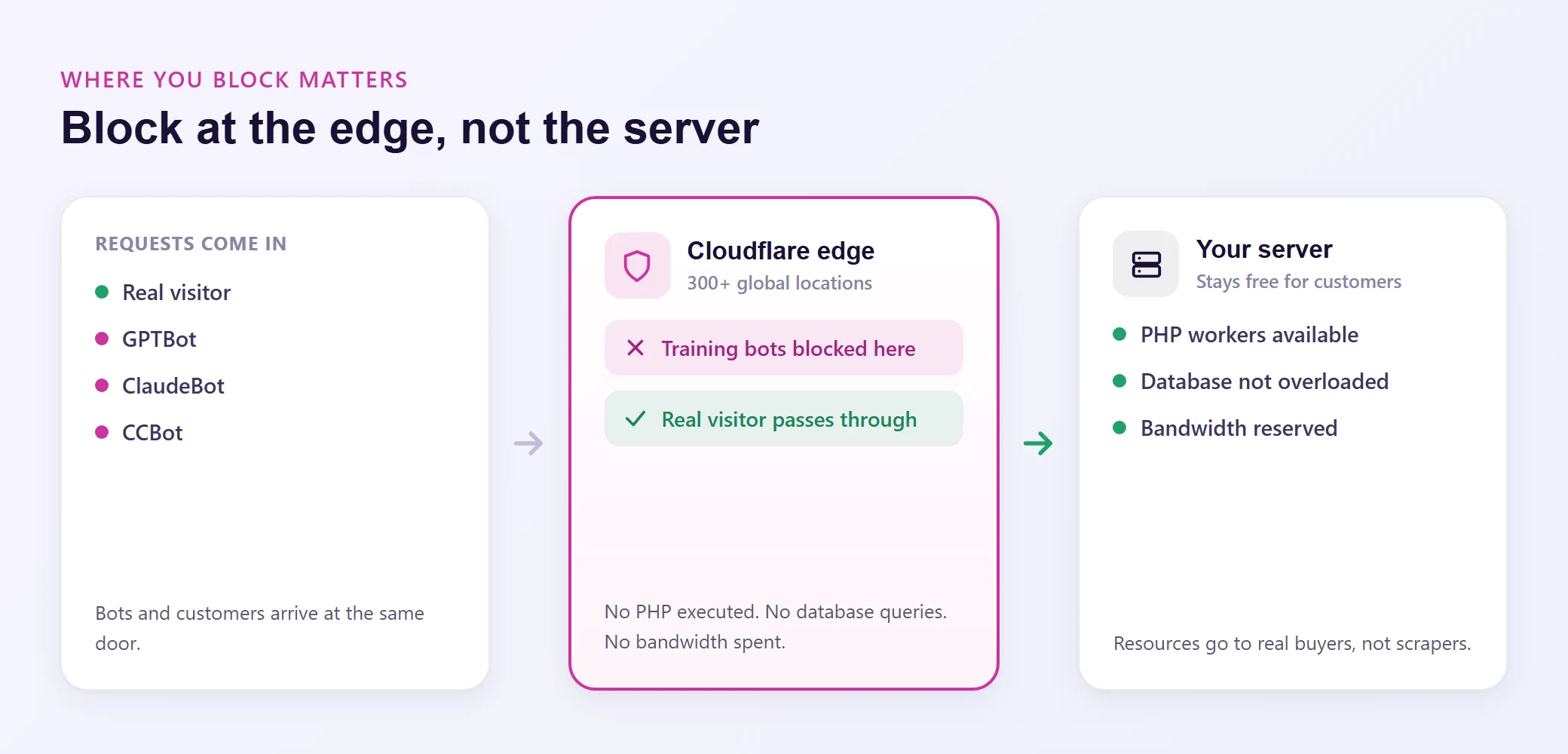
Block at the Edge, Not the Server
This is the most important distinction. If a bot reaches your server before it gets blocked, the damage is already done. Your PHP workers have already processed the request, your database has already run the queries, and your bandwidth has already been consumed. A WordPress plugin that blocks bots is too late in the chain.
What you need is edge-level blocking. That means stopping bots at the CDN or firewall layer, before the request ever touches your server. No PHP execution, no database queries, no bandwidth consumed.
Cloudflare's WAF (Web Application Firewall) does exactly this. It identifies bot traffic at the edge and blocks or challenges it before it reaches your origin server. The request dies at one of Cloudflare's 300+ global edge locations, and your server never knows it happened.
On Levamo, Enterprise Cloudflare is included on every plan (yes, even Starter at $29/mo). That means WAF protection, DDoS mitigation, and bot management are active from day one, with no extra charges and no plugins to install.
Use robots.txt (But Know Its Limits)
Your robots.txt file can tell well-behaved crawlers to stay away. Here's a basic block for the major AI training bots:
User-agent: GPTBot
Disallow: /

User-agent: ClaudeBot
Disallow: /

User-agent: CCBot
Disallow: /

User-agent: anthropic-ai
Disallow: /

User-agent: Google-Extended
Disallow: /
The problem? robots.txt is a suggestion, not a command. Legitimate crawlers from OpenAI and Anthropic generally respect it. But scraper bots that impersonate these crawlers, or less scrupulous AI companies, will ignore it completely. That's why edge-level blocking is your real defense, and robots.txt is just the first line.
Be Selective About What You Block
Not all AI bots are bad for your business. AI search crawlers like OAI-SearchBot and PerplexityBot can actually drive traffic to your site by citing your content in AI-generated search results. Blocking them means cutting yourself off from a growing discovery channel.
The smart approach is to block training crawlers (which take your content and give nothing back) while allowing AI search crawlers (which can send visitors your way). Levamo's dashboard includes an AI bot control setting that lets you choose among allowing all AI bots, allowing only verified bots, or blocking all AI bots.
And here's the irony worth noting: while rogue AI crawlers are inflating your hosting bill, AI itself can also be your best site management tool. Levamo's AI Management feature lets you connect ChatGPT, Claude, or Cursor directly to your WordPress site and manage it through conversation. Update plugins, draft posts, redesign pages, all without logging into wp-admin. The difference is control. AI Management works with your permission, on your terms, with a draft-first safety model. AI crawlers just take.
Monitor Your Server Logs
If you want to see exactly what's hitting your site, check your raw access logs. Look for user agent strings containing GPTBot, ClaudeBot, CCBot, Bytespider, PetalBot, or Applebot-Extended. You'll probably be surprised by the volume.
On Levamo, you can also use the Cloudflare analytics built into your dashboard to see bot traffic patterns without digging through log files.
The Real Cost: What Could You Do With Those Resources?
Think about it this way. If 30% of your server's PHP workers are busy serving AI crawlers, that's 30% fewer workers available for your actual customers. During a product launch, a membership sale, or a course enrollment rush, those workers could be the difference between a smooth checkout and a timeout error that costs you revenue.
The resources AI crawlers consume aren't free. They're resources you're paying for, on a plan you chose based on your expected human traffic. Every PHP worker, every database query, every megabyte of bandwidth consumed by a bot is a resource stolen from your business.
Wrapping Up
AI crawler traffic isn't going away. If anything, it's accelerating. The ratio of bots to humans is shifting every quarter, and your hosting bill is absorbing the impact whether you realize it or not.
The fix isn't complicated, but it does require the right infrastructure. Edge-level bot blocking (through a WAF like Cloudflare) stops the bleeding before it starts. Combine that with a selective robots.txt policy and dashboard-level AI bot controls, and you've reclaimed your server resources for the people who actually matter: your customers.
If your current host doesn't include enterprise-grade bot protection on every plan, you're subsidizing the AI industry with your hosting budget. That's not a great deal.