You shouldn't have to pay $100/month per site just to turn on Redis. You shouldn't have to upgrade your entire plan to get more PHP workers. And you definitely shouldn't discover that your "managed" host charges more in add-ons than the base plan itself.
If you're comparing Kinsta alternatives, you've probably hit at least one of those walls. Kinsta's dashboard is polished and Google Cloud is capable infrastructure. But once you add the extras that dynamic WordPress sites actually need (object caching, hourly backups, more PHP workers), a $35/month Kinsta plan quickly becomes a $235/month bill. Store owners running WooCommerce, membership communities, and course platforms feel that gap the hardest.
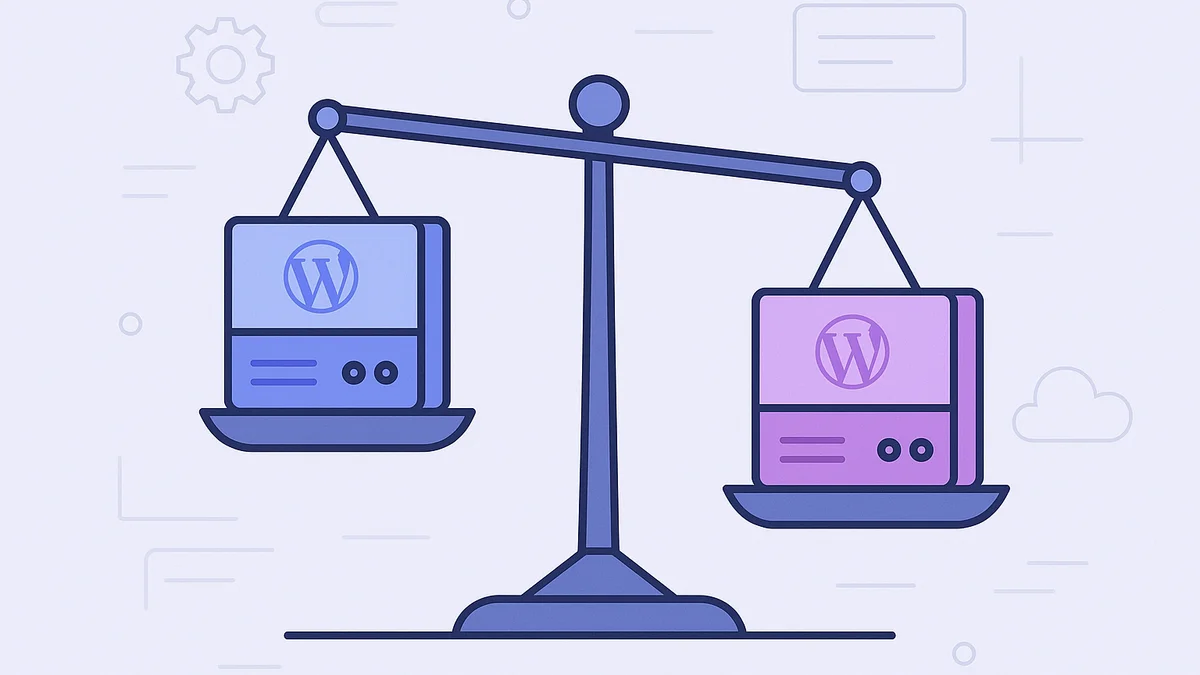
Levamo was born inside BuddyBoss, after years of watching ordinary hosting fall short under logged-in community traffic. The stack (LiteSpeed, KeyDB, and Enterprise Cloudflare) is purpose-built for the pages a cache can't help: carts, checkouts, member feeds, quizzes, and wp-admin. Our published benchmarks back it up with numbers against named competitors, and the methodology is public at /benchmark-methodology/. This post breaks down exactly where the two hosts differ, what the switch saves you, and when Kinsta is still the better fit.
Levamo vs Kinsta at a Glance
This comparison reflects what store owners, community builders, and course creators would actually pay for a production-ready dynamic site, not just the base sticker price. Those workloads need object caching and reliable backups, so the totals below include them.
| Feature |
Levamo |
Kinsta |
| WP Benchmark Score |
9.3 |
7.3 |
| Queries/sec |
2,958 |
1,201 |
| Requests/sec under load |
353 |
3.5 |
| GTmetrix Score |
95% |
86% |
| Web Server |
LiteSpeed (HTTP/3) |
Nginx |
| Object Cache (Redis/KeyDB) |
Included on Business+ ($119/mo) |
$100/site/month add-on (any plan) |
| Hourly Backups |
$10/month add-on |
$100/site/month add-on |
| CDN |
Enterprise Cloudflare (all plans) |
Kinsta CDN (Cloudflare-based) |
| Staging |
Free, all plans |
Free (premium: $20/mo) |
| Malware Scanning |
Monarx behavioral detection (included) |
Sucuri (manual) |
| AI Site Management |
Built-in |
Not available |
| Entry Price (blog/brochure site) |
$35/mo (Starter) |
$35/mo (Launch) |
| Dynamic Site Total (1 WooCommerce store, cache + hourly backups) |
$129/mo (Business + hourly backups) |
$235/mo (Launch + add-ons) |
| Trial |
$1 first month |
First month free (select plans) |
| Money-Back Guarantee |
30 days |
30 days |
Five Kinsta Pain Points That Push Store Owners and Creators to Switch
1. You Shouldn't Pay $100/Month per Site for Object Caching
Picture Black Friday morning: 400 shoppers hitting checkout at once. Redis object caching is the difference between a fast WooCommerce checkout and one that makes customers abandon their cart. Every logged-in interaction (membership dashboards, course progress, community feeds, cart sessions) generates database queries that page caching can't touch. Only object caching handles them.
On Kinsta, Redis is a $100/site/month add-on on every plan. Three WooCommerce stores? That's $300/month in caching fees alone, stacked on top of whatever base plan you're already paying. Over a year, you'd spend $3,600 just to make your stores perform the way they should out of the box.
On Levamo, KeyDB and Redis object caching are included on every Business plan ($119/mo) and above. No add-on fees, no per-site surcharges. For the same single WooCommerce store that would cost $135/month on Kinsta (Launch $35 plus Redis $100), a Levamo Business plan gives you object caching, 3 sites, and auto-scaling PHP workers for $119/month. Your store's checkout stays fast under load, your members' dashboards load instantly, and your students' course progress saves without delay, all from the moment you go live.
2. Hourly Backups Cost 10x More on Kinsta
Daily backups are standard on both platforms. But any WooCommerce store processing orders throughout the day needs hourly backups. Losing six hours of orders because a plugin update went wrong isn't a theoretical risk; it happens.
Kinsta charges $100/site/month for hourly backups. Levamo charges $10/month. That's a 90% cost difference for identical protection.
Run the math on a single WooCommerce store that needs both object caching and hourly backups: Levamo Business at $119/month plus hourly backups totals $129/month. On Kinsta, you'd start with Launch at $35/month, then add Redis ($100/month) and hourly backups ($100/month) for a total of $235/month. Same site, same capabilities, $106/month difference.
3. Kinsta's Pricing Jumps Force Premature Upgrades
Kinsta's pricing tiers create painful upgrade cliffs, and overage fees at 80% and 100% usage often push you to the next tier before you've actually outgrown the current one.
Going from Expand ($99/month, 5 sites) to Scale ($169/month, 10 sites) is a $70/month jump (71% increase) just to add 5 more sites. And Kinsta bills overage fees at $0.50 per 1,000 visits once you cross the threshold. A successful product launch or viral blog post shouldn't come with a surprise bill.
Levamo offers 17 plan tiers starting at $35/month. The steps are incremental, visit allowances are estimates rather than hard caps, and there are no overage fees. Annual billing saves roughly 17%. You scale when you're ready, not when a billing threshold forces your hand.
4. PHP Workers Are Capped, and Upgrading Means Upgrading Everything
Kinsta's entry plans include 2 PHP threads with 256MB of memory each. For a blog with mostly anonymous visitors, that's fine. For a WooCommerce store handling 50 simultaneous checkout sessions during a flash sale, or a BuddyBoss community with 50 members browsing at once, two workers create a bottleneck. Symptoms include slow page loads during traffic spikes, checkout timeouts, and 502 errors when your business needs the site most.
The only way to get more PHP workers on Kinsta is to upgrade your entire plan. Workers are tied to the plan tier, not allocated independently.
On Levamo, PHP workers auto-scale based on real-time demand. When your membership site spikes from a course launch or a flash sale, additional workers spin up automatically. No plan change, no extra charge, no members staring at a loading spinner. You watch a revenue chart instead of a server dashboard.
5. No LiteSpeed Means No Server-Level Page Cache
Kinsta runs on Nginx, a well-understood web server. But Nginx doesn't include native page caching. Kinsta compensates with a proprietary caching layer and restricts you from using popular caching plugins (WP Super Cache, W3 Total Cache, and several others are not permitted on the platform).
Levamo runs LiteSpeed with built-in server-level page caching and HTTP/3 support. The cache sits at the server layer, intercepting requests before WordPress even loads. Under our published load tests (identical WordPress installs, comparably priced plans), that architectural difference shows clearly: Levamo handles 353 requests per second under load compared to Kinsta's 3.5. The gap is wide enough that it's worth reading the methodology and testing with your own site, but it points to a real difference in how each stack handles concurrent requests, especially on pages that can't be cached.
These numbers come from identical WordPress installations tested under identical load conditions. They're the same benchmarks published on our performance page, and the methodology is public at /benchmark-methodology/. Results vary by site, stack, and traffic.
| Metric |
Levamo |
Kinsta |
Difference |
| WP Benchmark Score |
9.3 |
7.3 |
Levamo +27% |
| Database Queries/sec |
2,958 |
1,201 |
Levamo +146% |
| Requests/sec under load |
353 |
3.5 |
Levamo +100x |
| GTmetrix Performance |
95% |
86% |
Levamo +9 points |
The requests-per-second gap matters most when real people are logged in and doing things at the same time: a WooCommerce store with 200 customers browsing during a Saturday sale, a membership community with 100 people in the forums during a live event, a course platform with a full class taking a quiz at once. These are the workloads where Kinsta's Nginx stack hits its ceiling and LiteSpeed's architecture keeps delivering.
The Real Cost: Pricing by Use Case
Sticker prices don't tell the real story for dynamic WordPress sites. Total cost includes the add-ons WooCommerce stores, membership platforms, and course sites actually need to perform. Here's what you'd pay on each host for three common setups.
Store Owner: Single WooCommerce Site
You process orders throughout the day, so you need object caching for fast checkout and hourly backups to protect transaction data. Kinsta Launch ($35/month, 1 site) is their cheapest single-site plan; Levamo Business ($119/mo, 3 sites) is the first tier that includes object caching. The table shows the true total once you add what a store actually requires.
| Cost Component |
Levamo (Business, $119/mo) |
Kinsta (Launch, $35/mo + add-ons) |
| Base Plan |
$119/month |
$35/month |
| Object Cache |
Included |
+$100/month |
| Hourly Backups |
+$10/month |
+$100/month |
| Monthly Total |
$129/month |
$235/month |
| Annual Total |
$1,548/year |
$2,820/year |
| You Save |
$1,272/year with Levamo |
|
Your Levamo plan also includes 3 sites (room for staging or a second project), 75K monthly visits, and auto-scaling PHP workers. Kinsta's Launch plan gives you 1 site, 75K visits, 2 fixed PHP threads, and charges separately for the features WooCommerce needs. Levamo's base is higher, but the total is $106/month lower once you add the features a WooCommerce store actually needs. Annual billing drops it further.
Agency: 5 Client Sites
Five WordPress sites with WooCommerce or membership functionality. Each needs object caching for logged-in traffic, plus hourly backups across the board. Levamo Business includes 3 sites; additional sites are $20/site/month.
| Cost Component |
Levamo (Business + 2 extra sites) |
Kinsta (Expand, $99/mo + add-ons) |
| Base Plan |
$119/month |
$99/month |
| Additional Sites (2) |
+$40/month |
Included in plan |
| Object Cache (5 sites) |
Included |
+$500/month |
| Hourly Backups (5 sites) |
+$10/month |
+$500/month |
| Monthly Total |
$169/month |
$1,099/month |
| Annual Total |
$2,028/year |
$13,188/year |
| You Save |
$11,160/year with Levamo |
|
At five sites, Kinsta's per-site add-on pricing compounds into a bill that's 6.5x higher for the same capabilities. That $11,160 in annual savings could fund your entire marketing budget or a part-time developer. Annual billing drops Levamo's total further.
A BuddyBoss community with LearnDash courses, 500+ active members, and WooCommerce for course sales.
| Cost Component |
Levamo (Performance, $359/mo) |
Kinsta (Scale, $169/mo + add-ons) |
| Base Plan |
$359/month |
$169/month |
| Object Cache |
Included |
+$100/month |
| Hourly Backups |
+$10/month |
+$100/month |
| ElasticPress |
+$10/site |
Not available |
| Monthly Total |
$379/month |
$369/month |
| Annual Total |
$4,548/year |
$4,428/year |
On monthly billing the totals are within $10/month of each other. The difference is what you get: Levamo includes ElasticPress for member and course search (Kinsta doesn't offer it at any price), supports 20 sites versus Kinsta Scale's 10, and auto-scales PHP workers. Annual billing drops Levamo's base to $299/month, putting the total below Kinsta's.
Full Feature Comparison
Every row sourced from each platform's current pricing and feature pages.
| Feature |
Levamo |
Kinsta |
| Server Technology |
LiteSpeed + HTTP/3 |
Nginx |
| Object Cache |
KeyDB & Redis Object Cache (Business+, included) |
Redis ($100/site/month) |
| Page Caching |
LiteSpeed server-level cache |
Kinsta proprietary cache |
| CDN |
Enterprise Cloudflare, 300+ locations |
Kinsta CDN (Cloudflare-based) |
| WAF & DDoS |
Cloudflare Enterprise WAF (all plans) |
Cloudflare-based protection |
| Malware Scanning |
Monarx behavioral detection |
Sucuri manual scans |
| Advanced Security |
SiteShield (Patchstack, $4/site/mo) |
Not available |
| Daily Backups |
Included (all plans) |
Included (all plans) |
| Hourly Backups |
$10/month add-on |
$100/site/month add-on |
| Staging |
1-click, free (all plans) |
Free basic; premium $20/mo |
| PHP Workers |
Auto-scaling (Business+) |
Fixed per plan tier |
| Container Isolation |
Yes |
Yes |
| ElasticPress Search |
Available (Performance+) |
Not available |
| AI Site Management |
Built-in (ChatGPT, Claude, Cursor) |
Not available |
| Support |
24/7/365, sub-minute response |
24/7 chat (no phone) |
| Migration |
Free white-glove, 48 hrs |
Free migration |
| Uptime SLA |
99.99% |
99.9% |
One of the biggest frustrations Kinsta customers report is discovering how much the add-ons cost after signing up. Here's what comes standard on every Levamo Business plan ($119/mo and above) that Kinsta bills separately:
- KeyDB & Redis object caching: your checkout stays fast under load, your member feeds keep up, your course progress saves instantly. Kinsta charges $100/site/month for the same thing.
- Enterprise Cloudflare CDN with 300+ edge locations: your pages load fast for visitors anywhere, with full-page caching, WAF, and DDoS protection at the edge. Kinsta includes CDN but at a basic tier.
- Cloudflare Enterprise WAF with OWASP Top 10 rules: SQL injection, XSS, and credential stuffing are filtered at the edge before they reach your server. Kinsta uses basic Cloudflare-based protection.
- Monarx malware scanning with behavioral detection: catches zero-day variants automatically by watching what files do, not just matching known signatures. Kinsta offers Sucuri-based manual scanning.
- Auto-scaling PHP workers: when your flash sale brings a crowd or your community lights up during a live event, capacity grows with demand. Kinsta locks worker count to plan tier.
- 1-click staging on all plans: test updates safely before they touch your live site. Kinsta's premium staging costs $20/mo per environment.
For a single site, these add up to a meaningful chunk of your hosting bill. For five or more sites, the compound savings run into thousands per year.
AI-Powered Site Management
Levamo is one of the only managed hosts with AI site management built directly into the dashboard. Connect ChatGPT, Claude, or Cursor to your WordPress site and run it by chatting: update plugin settings, create pages, modify WooCommerce products, adjust theme options, all in natural language.
Nothing to install. No API keys to configure manually. No MCP server to set up yourself. Your AI connects through the Levamo dashboard and works with your site the way a developer would. New content lands as drafts, destructive changes require your approval with a preview, and everything is logged.
Kinsta doesn't offer anything comparable. On Kinsta you'd need to configure third-party tools yourself and hope they integrate with the platform's restricted environment.
Switching From Kinsta: What Migration Looks Like
Moving hosts feels risky. You've invested time configuring Kinsta, your DNS is set, and the thought of breaking something keeps you from deciding. That's exactly why Levamo handles the entire migration for you.
Your involvement: provide SFTP credentials and database access from your Kinsta dashboard. That's it.
What Levamo's team does:
- Transfers your full site (files, database, media, configurations) to your Levamo environment within 48 business hours.
- Verifies every page loads correctly and tests core functionality (checkout flows, login, forms, membership areas).
- Confirms performance on your new environment before asking you to switch DNS.
- Keeps your Kinsta site live throughout. You update DNS only when you're confident, with minimal downtime.
What it costs: nothing. The migration is free and white-glove on every Levamo plan.
Worried about compatibility? If you're running a complex stack (BuddyBoss with LearnDash and WooCommerce, for example), Levamo's team has migrated these exact configurations before. The support team includes real WordPress engineers who understand plugin interactions, not ticket routers who escalate everything.
The Bottom Line
Kinsta is a capable managed host. If you run mostly static or low-traffic sites and value its specific dashboard and Google Cloud footprint, it may suit you fine. But for store owners, membership communities, and course creators running dynamic, logged-in WordPress, Levamo delivers higher benchmarks, includes the features Kinsta sells as add-ons, and costs less at the tiers that matter. The migration is free and done for you, so the only real test is your own site. Compare the plans and see where you land.