Black Friday, 2 p.m. Four hundred customers are in checkout, and none of them can be served from a cache. That's the moment your host matters. On our published benchmarks, Levamo handles 353 requests per second under load. WP Engine handles 1 (methodology; results vary by site, stack, and traffic).
WP Engine restricts 52+ plugins from running on its platform, including popular caching and backup tools. It charges $2 for every 1,000 visitors that exceed your plan cap. Its entry plans share server resources with other customers, and the jump to isolated resources starts at $400/month.
Levamo vs WP Engine at a Glance
If you run a WooCommerce store, membership site, or course platform, most of your traffic is logged in. Page caching can't help those visitors. The comparison below reflects what matters for dynamic WordPress workloads: server-side performance, caching for logged-in sessions, and what you actually pay once the add-ons are counted.
| Feature |
Levamo |
WP Engine |
| WP Benchmark Score |
9.3 |
5.7 |
| Queries/sec |
2,958 |
435 |
| Requests/sec Under Load |
353 |
1 |
| GTmetrix Score |
95% |
73% |
| Web Server |
LiteSpeed (HTTP/3) |
Nginx (proprietary EverCache) |
| Object Cache |
KeyDB + Redis (Business+, included) |
Proprietary caching layer |
| CDN |
Enterprise Cloudflare, all plans (included) |
Global Edge Security ($450/yr add-on) |
| WAF & DDoS |
Cloudflare Enterprise WAF (all plans) |
Basic WAF; full protection requires GES add-on |
| Plugin Restrictions |
None |
52+ plugins banned |
| Container Isolation |
All plans |
Core plan only ($400/mo+) |
| PHP Workers |
2x auto-scaling (Business+) |
Fixed per plan tier |
| AI Site Management |
Built-in (ChatGPT, Claude, Cursor) |
Not available |
| Malware Scanning |
Monarx behavioral detection (included) |
Limited scope |
| Overage Fees |
No overage charges |
$2 per 1,000 extra visitors |
| Uptime SLA |
99.99% (all plans) |
99.95% (Essential); 99.99% (Core $400/mo+) |
| Trial |
$1 first month |
60-day money-back |
These figures come from our published benchmark methodology. Results vary by site, stack, and traffic.
Four WP Engine Pain Points That Push WordPress Pros to Switch
WP Engine maintains a list of disallowed plugins that you simply cannot run on their platform. The list includes over 52 named plugins and 90+ folder names that their security scanner flags automatically. Banned categories include caching plugins (W3 Total Cache, WP File Cache), backup plugins (BackupWordPress, WP DB Backup, VersionPress), related post plugins, and several security tools.
WP Engine's proprietary EverCache system handles caching at the server level, so competing caching plugins would conflict. But the practical effect is that you lose control over a core part of your stack. If your workflow depends on a specific backup plugin, or your developer has optimized around W3 Total Cache for years, WP Engine forces you to abandon those tools and use their replacements.
Levamo runs LiteSpeed with server-level caching and imposes zero plugin restrictions. Install whatever you need. If two caching layers overlap, the support team will help you set them up so they don't conflict.
2. The Largest Requests/Sec Gap We've Measured: 353 vs 1
Of every managed host benchmarked, WP Engine shows the widest gap on requests per second under load. The numbers come from identical WordPress installations tested under identical conditions. These are our published benchmarks.
| Metric |
Levamo |
WP Engine |
Difference |
| WP Benchmark Score |
9.3 |
5.7 |
Levamo +63% |
| Database Queries/sec |
2,958 |
435 |
Levamo +580% |
| Requests/sec Under Load |
353 |
1 |
Levamo 353 vs 1 |
| GTmetrix Performance |
95% |
73% |
Levamo +22 points |
| Database: 1,000 queries |
0.34s |
2.30s |
Levamo 6.8x faster |
Results vary by site, stack, and traffic.
Third-party testing from HostScore supports the trend. In their Grafana K6 load test, Levamo processed 27,033 requests in 60 seconds. WP Engine managed 2,400.
The gap matters most for sites with concurrent logged-in traffic. Picture a WooCommerce store with 200 customers browsing during a flash sale. Or a BuddyBoss community with 100 members online. Or a LearnDash course with students taking quizzes at the same time. All of those generate uncached requests that hit PHP and the database directly. WP Engine's Nginx stack and shared resources on entry plans create bottlenecks exactly where your site needs speed most.
Your checkout stays fast and your member feeds keep loading because LiteSpeed handles cached pages at the server layer (before PHP loads), KeyDB and Redis serve logged-in sessions from memory, and 2x auto-scaling PHP workers absorb traffic spikes without manual intervention.
3. $35 to $400: The Most Expensive Upgrade Cliff in Managed Hosting
WP Engine's Essential plans (Startup through Scale) run on shared server resources. Your site's CPU, RAM, and PHP workers share capacity with other customers on the same machine. For a brochure site or low-traffic blog, that's fine. For a WooCommerce store processing checkout sessions or a membership platform serving logged-in dashboards, shared resources mean your performance depends partly on what your neighbors are doing.
The only way to get isolated resources on WP Engine is to upgrade to the Core plan. That starts at $400/month. If you're on the Growth plan at $130/month, getting isolation means tripling your bill overnight.
| WP Engine Plan |
Monthly Price |
Sites |
Visits |
Resources |
| Startup (Essential) |
$35 |
1 |
25,000 |
Shared |
| Professional (Essential) |
$65 |
3 |
75,000 |
Shared |
| Growth (Essential) |
$130 |
10 |
100,000 |
Shared |
| Scale (Essential) |
$330 |
30 |
400,000 |
Shared |
| Core |
$400 |
30-50 |
400,000-800,000 |
Isolated |
Every Levamo plan, starting from the $35/month Starter, runs in its own isolated container. Your CPU, RAM, storage, and PHP workers are yours alone, and you don't need to pay $400/month to get what should be standard on a managed host.
4. $2 for Every Thousand Visitors Over Your Cap
WP Engine charges $2 per 1,000 extra monthly visitors once you exceed your plan's visit allowance. The charges appear on your invoice as "Visitor Overage Charge," even on annual plans.
Here's what that looks like on a realistic scenario. You're on the Startup plan with a 25,000 monthly visit cap. A blog post goes viral or you run a successful email campaign that drives 50,000 visitors in a month. That's 25,000 visitors over your cap, which means a $50 overage fee on top of your $35/month plan. Your hosting bill nearly triples because your marketing worked.
On the Growth plan (100,000 visits), a holiday season that pushes you to 200,000 visitors adds $200 to your invoice.
Levamo treats visit numbers as estimates based on server requests. Occasional spikes are fine. Sustained growth prompts a one-click upgrade to the next tier, but there are no per-visitor penalties. Your bill stays predictable whether traffic is flat or spiking.
The Real Cost: Pricing Comparison by Use Case
WP Engine's Essential plans start at $35/month, which looks competitive until you add the features dynamic WordPress sites actually need: enterprise CDN, isolated resources, and overage protection. The comparison below isn't about who's cheaper. It's about what you get for similar spend.
Store Owner: Single WooCommerce Site
You run a WooCommerce store with 75,000 monthly visitors. You need enterprise-grade CDN for global speed, isolated resources so checkout doesn't slow down during traffic spikes, and no overage surprises during sale events. The fair comparison is WP Engine Professional (3 sites, 75K visits) against Levamo Business (3 sites, 75K visits, annual billing).
| What you get |
Levamo Business ($99/mo, annual billing) |
WP Engine Professional ($65/mo) + add-ons |
| Base Plan |
$99/month |
$65/month |
| Enterprise CDN + WAF + DDoS |
Included |
+$37.50/month (Global Edge Security) |
| Container Isolation |
Included (all plans) |
Not available (shared on Essential) |
| Object Caching |
KeyDB + Redis (included) |
Proprietary caching only |
| PHP Workers |
2x auto-scaling |
Fixed per plan |
| Overage Risk |
No overage fees |
$2 per 1,000 extra visitors |
| Monthly Total |
$99/month |
$102.50/month |
At nearly the same spend, you get isolated resources, KeyDB + Redis object caching, 2x auto-scaling PHP workers, Enterprise Cloudflare CDN, and no overage risk on Levamo. WP Engine Professional at $102.50 (with GES) is still on shared resources with fixed PHP workers. The price is similar. The value isn't.
If you want isolated resources on WP Engine, the minimum is the Core plan at $400/month.
Agency: 10 Client Sites With Isolation
You manage 10 WordPress sites for clients. Each needs isolated resources (a client's traffic spike can't affect another client), enterprise CDN, and predictable billing.
| Cost Component |
Levamo (Business 4, $199/mo, annual billing) |
WP Engine (Core, $400/mo) |
| Base Plan |
$199/month |
$400/month |
| Enterprise CDN |
Included |
Included on Core |
| Isolated Resources |
Included |
Included on Core |
| Sites Included |
10 |
30-50 |
| Visits |
250,000/month |
400,000-800,000/month |
| Object Cache |
KeyDB + Redis (included) |
Proprietary caching |
| PHP Workers |
2x auto-scaling |
Fixed workers |
| Plugin Restrictions |
None |
52+ banned |
| Monthly Total |
$199/month |
$400/month |
| Annual Total |
$2,388/year |
$4,800/year |
| You Save |
$2,412/year |
- |
WP Engine's Core plan includes more sites and visits, which matters if you need 30+ sites. But for a 10-site agency, you're paying $400/month because isolation isn't available on the $130/month Growth plan. Levamo isolates every environment from the Starter plan up, so you pick the tier that matches your site count and traffic, not the one that unlocks a feature that should be standard.
Course Creator: BuddyBoss + LearnDash + WooCommerce
A community platform with 500+ active members, course modules, and WooCommerce for enrollment. Every member interaction hits the database. You need object caching, auto-scaling for cohort launches, and a host that actually understands this stack.
| Cost Component |
Levamo (Performance, $299/mo, annual billing) |
WP Engine (Core, $400/mo) |
| Base Plan |
$299/month |
$400/month |
| Object Cache |
KeyDB + Redis (included) |
Proprietary caching |
| PHP Workers |
2x auto-scaling |
Fixed workers |
| ElasticPress (WooCommerce product search) |
Included |
Not available natively |
| AI Site Management |
Included |
Not available |
| Plugin Restrictions |
None |
52+ banned |
| Sites |
20 |
30-50 |
| Monthly Total |
$299/month |
$400/month |
| Annual Total |
$3,588/year |
$4,800/year |
| You Save |
$1,212/year |
- |
You save $1,212/year and get ElasticPress for fast product search on large catalogs. You also get AI Management for running your site from ChatGPT or Claude, plus a support team born inside BuddyBoss that has collaborated directly with BuddyBoss developers on customer setups. WP Engine's support team is capable, but this isn't the stack they specialize in.
Full Feature Comparison
| Feature |
Levamo |
WP Engine |
| Web Server |
LiteSpeed + HTTP/3 |
Nginx (EverCache) |
| Object Cache |
KeyDB + Redis (Business+, included) |
Proprietary caching layer |
| Page Caching |
LiteSpeed server-level cache |
EverCache (proprietary) |
| CDN |
Enterprise Cloudflare, 300+ locations (all plans) |
Cloudflare-based CDN (basic); Global Edge Security $450/yr |
| WAF & DDoS |
Cloudflare Enterprise WAF (all plans) |
Basic WAF; advanced requires GES add-on |
| Container Isolation |
All plans |
Core ($400/mo) and above |
| Malware Scanning |
Monarx behavioral detection (included) |
Limited scope |
| Advanced Security |
Advanced SiteShield ($4/site/mo add-on) |
Global Edge Security ($450/yr add-on) |
| Daily Backups |
Included (all plans) |
Included (all plans) |
| Hourly Backups |
$10/site/mo add-on |
Not available |
| Staging |
1-click, free (all plans) |
Free on all plans |
| PHP Workers |
2x auto-scaling (Business+) |
Fixed per plan |
| Plugin Restrictions |
None |
52+ plugins banned |
| ElasticPress |
WooCommerce product search (Performance+) |
Not available natively |
| AI Site Management |
Built-in (ChatGPT, Claude, Cursor) |
Not available |
| Git Push Deploy |
Not available |
Available |
| Headless WordPress |
Supported |
Atlas (dedicated headless platform) |
| SSL |
Free Cloudflare SSL (all plans) |
Free SSL (all plans) |
| 2FA |
Authenticator app with team-admin enforcement |
Two-factor authentication |
| Multisite |
Supported |
Supported ($30/mo on lower tiers) |
The features below come standard on Levamo's plans. On WP Engine, they're either paid add-ons, locked behind the $400/month Core tier, or unavailable entirely.
- Enterprise Cloudflare CDN with 300+ edge locations, full-page caching, and HTTP/3: included on every Levamo plan, including the $35/mo Starter. WP Engine charges $450/year for comparable edge protection through its Global Edge Security add-on.
- Cloudflare Enterprise WAF with OWASP Top 10 rules, bot mitigation, and DDoS absorption at the edge: included on every Levamo plan. WP Engine's basic WAF comes standard, but enterprise-grade edge filtering requires the GES add-on.
- Isolated container resources (dedicated CPU, RAM, PHP workers): every Levamo plan runs in its own container. WP Engine only offers isolation on the Core plan at $400/month. Essential plans ($35 to $330/month) share resources.
- 2x auto-scaling PHP workers: Levamo scales workers based on real-time demand on Business plans and above. WP Engine locks PHP workers to your plan tier. A flash sale or course launch that maxes out your workers results in 502 errors, not automatic scaling.
- KeyDB + Redis object caching on Business+ plans: optimized for logged-in sessions, cart data, member feeds, and quiz progress. WP Engine includes a proprietary caching system but doesn't offer Redis or KeyDB as a configurable caching layer.
- AI Site Management (ChatGPT, Claude, Cursor integration): a tab in your dashboard. Connect your AI to your WordPress site and manage it in conversation. Update plugins, create pages, modify WooCommerce products, adjust settings. No plugins to install, no MCP server to configure.
- Monarx behavioral malware detection: scans at the file system level for zero-day variants and obfuscated payloads automatically. Included on all plans.
- 99.99% uptime SLA on all plans: WP Engine's Essential plans carry a 99.95% SLA. You need the $400/month Core plan to get 99.99%.
- No overage fees: your bill stays predictable regardless of traffic spikes. WP Engine charges $2 per 1,000 extra visitors.
- No plugin restrictions: install whatever your site needs. WP Engine bans 52+ plugins outright.
AI-Powered WordPress Management
AI Management is a tab in your Levamo dashboard. Connect Claude, ChatGPT, or Cursor and run your site by chatting.
What that looks like in practice: you ask your AI to update all plugins, and it updates them one at a time, checking the site after each one, logging every change. You ask it to draft a blog post with SEO fields filled, and it creates a draft for your approval. You ask it to redesign a landing page, and it produces a preview you can review before anything goes live.
New content lands as drafts. Deletes go to trash. Destructive changes require your approval. Everything is logged. Each team member gets their own connection with expiring API keys that you control.
Switching From WP Engine: What the Migration Actually Looks Like
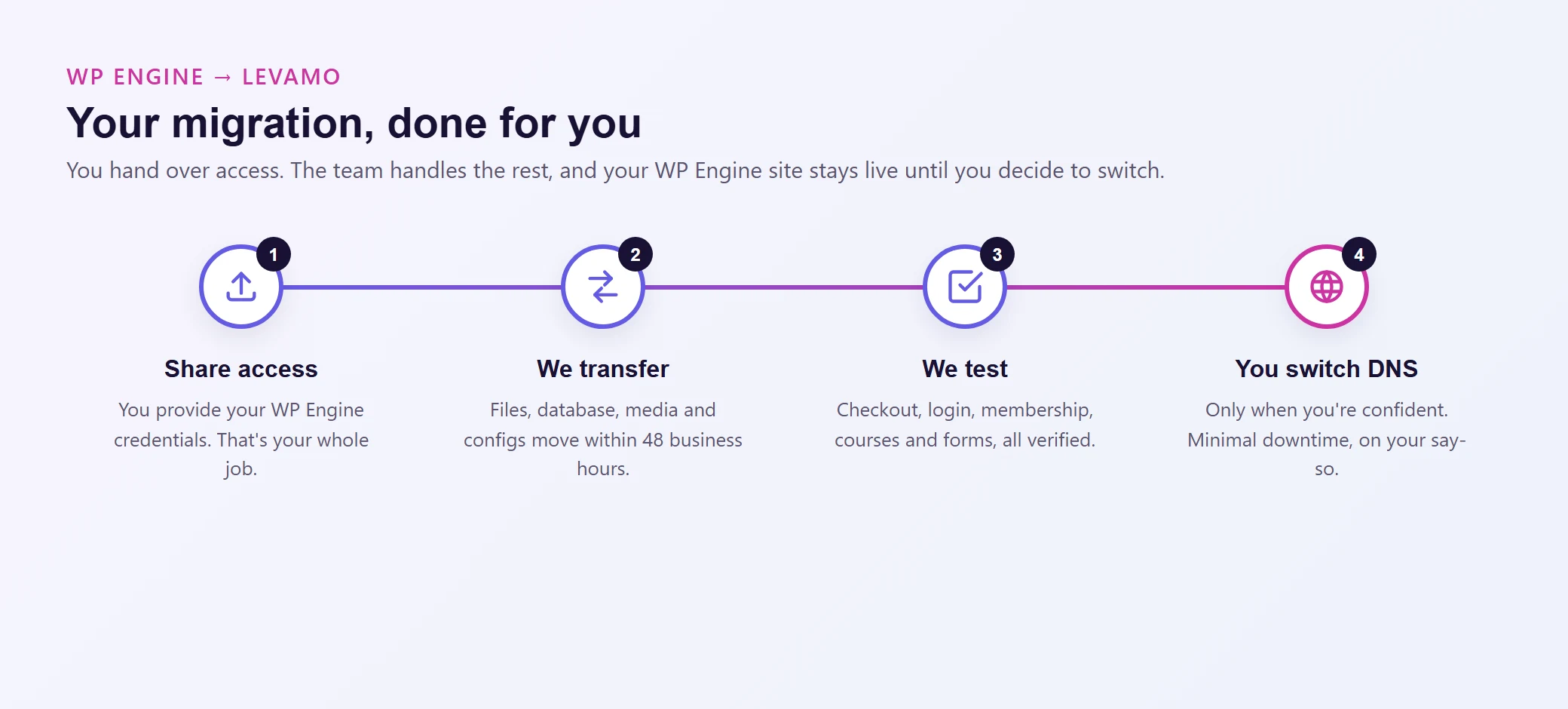
Levamo handles the entire migration for you. You provide WP Engine access credentials, and the team does everything else.
What the migration team does:
- Transfers your full site (files, database, media, configurations) to your new environment within 48 business hours with minimal downtime.
- Tests every critical flow: checkout, login, membership access, course enrollment, form submissions.
- Confirms performance on your new environment before asking you to switch DNS.
- Keeps your WP Engine site live throughout. You update DNS only when you're confident the migration is solid.
What it costs: Nothing. Free white-glove migration on every plan.
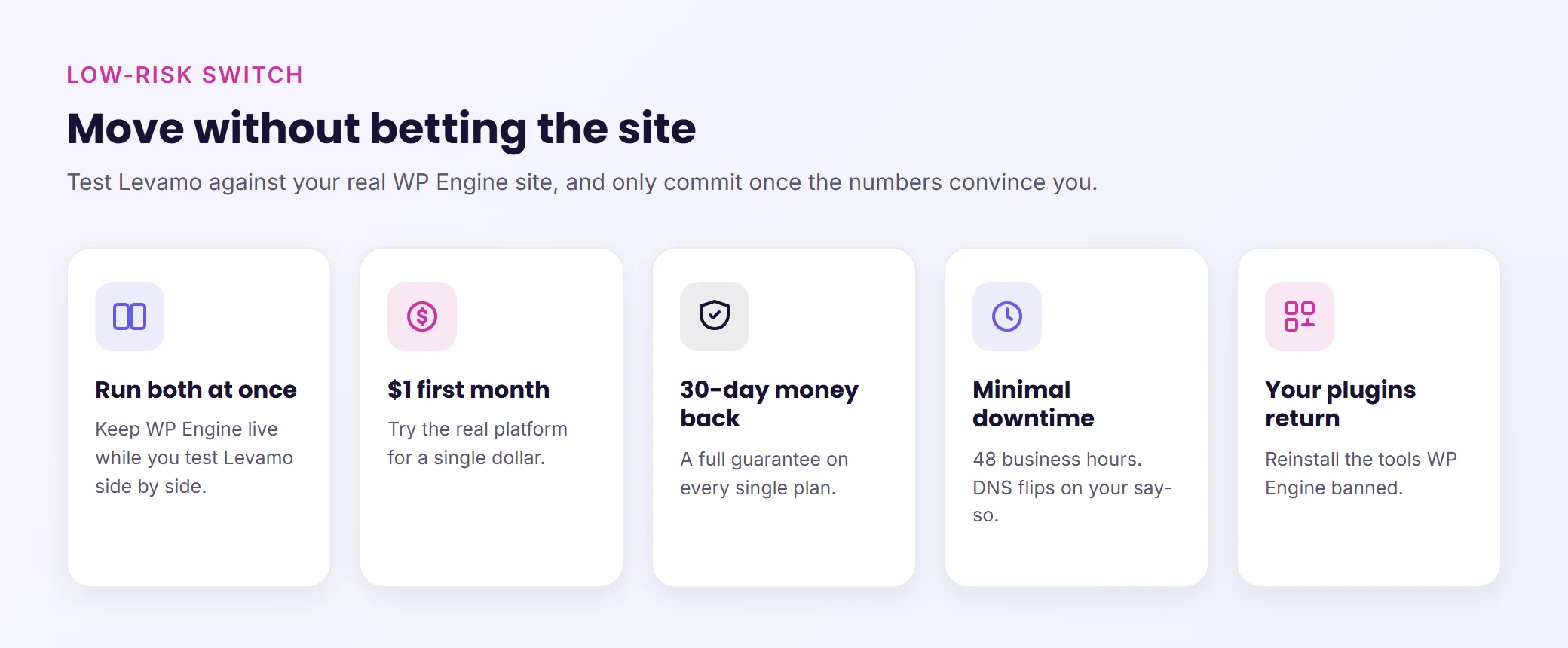
About those banned plugins: If your WP Engine site has been running without caching or backup plugins because they were banned, you can install your preferred tools after migrating. Your developer keeps using the same workflow they've always used.
Complex stacks? The team regularly migrates BuddyBoss + LearnDash + WooCommerce configurations, Elementor-built sites, WC Vendors multi-vendor marketplaces, and other multi-plugin setups. The migration team includes WordPress engineers who understand plugin interactions and test functionality before asking you to switch DNS.
Risk-free: $1 first month and a 30-day money-back guarantee. Run both hosts simultaneously, compare the results, and switch DNS only when you're satisfied.