You built a community with BuddyPress. Members are joining, conversations are flowing, and your activity feed is finally alive.
Then you hit 150 active members, and everything slows to a crawl.
Pages take four seconds to load. The member directory times out. Activity feeds lag behind real-time by minutes. Members stop posting, stop logging in, and quietly disappear.
Here's the thing: this isn't a BuddyPress problem. It's a hosting problem.
Most WordPress hosts are optimized for one thing: serving static blog pages to anonymous visitors. That's the exact opposite of what a BuddyPress community does. Every page load for a logged-in member is dynamic. Every profile view, every activity update, every friend request hits your database and generates a fresh response.
Your community deserves hosting that was actually built for this workload. Let's break down what that looks like.
Why BuddyPress Communities Can't Run on Generic Hosting
A typical WordPress blog serves the same cached HTML to every visitor. A hosting provider can serve thousands of those requests per second without breaking a sweat, because the server barely has to think.
BuddyPress flips that model on its head.
When a member loads their activity feed, your server has to:
Authenticate the user's session
Query the database for activity items from their friends, groups, and followed members
Check permissions on every item (who can see what)
Render a personalized page that's different from what every other member sees
Multiply that by 50, 100, or 500 concurrent members, and you start to see why generic hosting buckles. Page caching? Useless here. You can't serve Member A a cached copy of Member B's personalized feed.
This is why community-focused hosting exists as a category. The workload is fundamentally different from that of any blog or brochure site.
What Your BuddyPress Site Actually Needs From Hosting
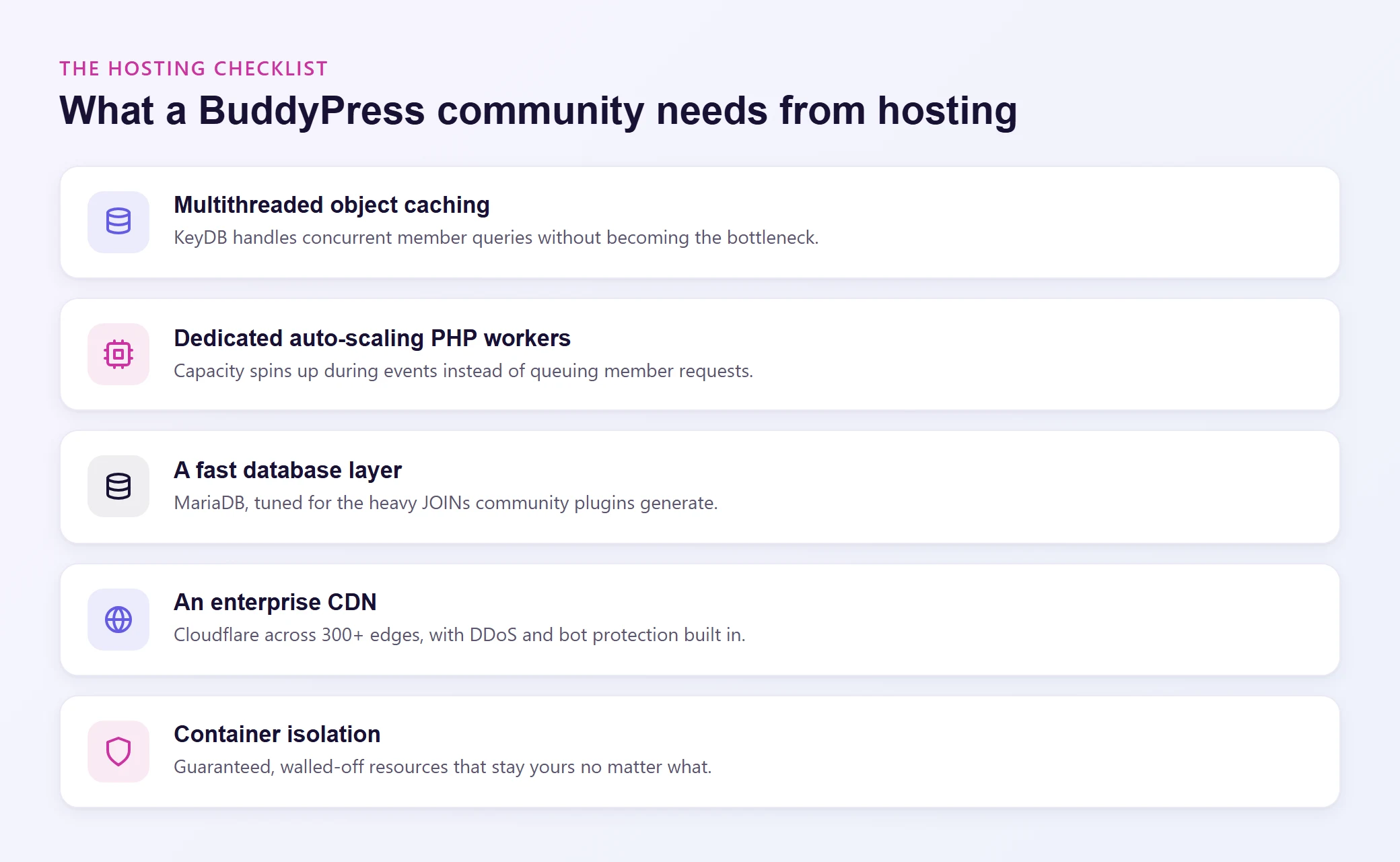
Not every "managed WordPress host" is equipped for community workloads. Here's the checklist that actually matters.
Object Caching That Can Handle Concurrency
Object caching stores the results of expensive database queries in memory (RAM), so the next time that query runs, your server grabs the answer instantly instead of hitting the database again.
For a BuddyPress site, this is transformative. Member directories, group lists, activity feeds, and permission checks all involve repetitive queries that object caching can intercept.
But there's a catch. Standard Redis is single-threaded. When 80 members are active simultaneously and all generating database queries, a single-threaded cache becomes a bottleneck itself.
KeyDB solves this. It's a multithreaded fork of Redis that handles concurrent requests without queuing them up. For a BuddyPress community with active, logged-in members, multithreaded object caching isn't a nice-to-have. It's the difference between a responsive community and one that feels sluggish during peak hours.
Levamo includes KeyDB + Redis object caching on Business plans and above, specifically because community and membership workloads demand it.
Dedicated PHP Workers
Every dynamic page request on your BuddyPress site requires a PHP worker to process it. If your host gives you a shared pool of workers across multiple sites, a traffic spike on someone else's site can starve yours.
Look for hosting that provides dedicated, auto-scaling PHP workers. When your community hosts a live event or a popular discussion thread takes off, your server should spin up additional workers to handle the load, not queue requests until members start seeing timeout errors.
A Database Layer Built for Speed
BuddyPress is database-heavy. Activity streams, member relationships, group memberships, private messages: all of it lives in your database. The difference between MariaDB and older MySQL setups is measurable, especially for the complex JOIN queries that BuddyPress generates.
MariaDB's query optimizer handles these patterns more efficiently, and when paired with object caching, your database only needs to run each expensive query once before the result gets cached.
CDN That Actually Helps Dynamic Sites
Most CDNs cache static files: images, CSS, JavaScript. That's helpful, but it only addresses a fraction of a BuddyPress site's performance needs.
An enterprise-grade CDN like Cloudflare's does more. It handles DDoS protection, bot filtering, SSL termination, and edge-level security headers. For a community site where members upload profile photos, share files, and interact with media-rich activity feeds, having 300+ edge locations serving your static assets while protecting your origin server makes a real difference.
Levamo includes Enterprise Cloudflare CDN on every plan, not as an upsell.
Container Isolation
Shared hosting means shared resources. If another site on your server gets a traffic spike (or worse, gets hacked and starts consuming resources), your community slows down.
Container isolation gives each site its own walled-off environment with guaranteed resources. Your BuddyPress community's performance stays consistent regardless of what's happening elsewhere on the server.
How Levamo Handles BuddyPress Workloads
Levamo was built by the co-founders of BuddyBoss, the most widely used BuddyPress-based platform. That's not a marketing partnership. The people who built the platform also built the hosting to run it.
That origin story matters because it shaped the entire infrastructure. The stack wasn't designed for blogs and then retrofitted for communities. It was built from the ground up for logged-in, dynamic, database-heavy workloads.
Here's what's under the hood:
LiteSpeed web server with built-in page caching for the parts of your site that can be cached (public pages, login screens, static content)
KeyDB + Redis object caching (Business plans and up) for the dynamic, per-user queries that dominate BuddyPress traffic
MariaDB tuned for the complex query patterns community plugins generate
Auto-scaling PHP workers that respond to demand spikes instead of queuing requests
Container isolation so your resources are always yours
Enterprise Cloudflare CDN across 300+ locations on every plan
Monarx malware scanning at the server level, plus Cloudflare WAF and DDoS protection
The benchmarks back it up: 9.3 on WP Benchmark, 2,958 queries per second, and 353 requests per second under load testing. Those numbers matter most for sites like yours where every request triggers real database work.
Support That Knows Your Stack
Here's something that doesn't show up in spec sheets. When you contact Levamo support, you're talking to people who work with BuddyPress and BuddyBoss sites daily. They understand activity feed optimization, group query performance, and the specific plugin conflicts that community sites run into.
That's a 24/7/365 team with a 4.6/5 CSAT rating and sub-minute live chat response times. For non-technical community operators who need server-level help, this is often the deciding factor.
Switching hosts feels risky when you have an active community. Members are posting, sending messages, and interacting in real time. You can't just flip a switch and hope nothing breaks.
Levamo's White Glove Migration handles the entire process for you:
Their team assesses your current setup (plugins, database size, custom configurations)
They migrate everything to a temporary URL for you to test
Once you confirm everything works, they cut over with minimal downtime
It's free on all plans, completed within 48 business hours, and you don't have to touch a terminal. For community operators who aren't server admins (and don't want to be), this removes the single biggest barrier to switching.
A community with 50 members has different needs than one with 5,000. Your hosting should reflect that.
| Feature |
Starter ($29/mo) |
Business ($99/mo) |
Performance ($299/mo) |
| PHP Workers |
Dedicated |
Dedicated + auto-scaling |
Dedicated + auto-scaling |
| Object Caching |
Basic |
KeyDB + Redis |
KeyDB + Redis |
| CDN |
Enterprise Cloudflare |
Enterprise Cloudflare |
Enterprise Cloudflare |
| Search |
WordPress default |
WordPress default |
ElasticPress |
| Backups |
Daily |
Daily |
Daily |
| Support |
24/7 live chat |
24/7 live chat |
24/7 live chat |
Most BuddyPress communities start on the Business plan because object caching is essential once you pass ~100 active members. If your community grows to thousands of members with heavy search usage (member directories, forum searches, content filtering), the Performance plan adds ElasticPress for offloaded, lightning-fast search.
You can try Levamo for $1 for your first month, and every plan includes a 30-day money-back guarantee. Test your actual community on the infrastructure before committing.
Wrapping Up
BuddyPress communities are some of the most demanding WordPress workloads out there. Every logged-in member generates dynamic, personalized, database-heavy requests that generic hosting simply wasn't designed to handle.
The right hosting stack (object caching, dedicated PHP workers, a fast database, and real container isolation) transforms a sluggish community into one where members actually want to spend time. And when your hosting provider was literally built by the people who created the leading BuddyPress platform, you're getting infrastructure that understands your workload at a foundational level.
Your community members don't care about server specs. They care that the activity feed loads instantly, profiles don't time out, and notifications arrive in real time. The hosting you choose determines whether that happens.