The Five Membership Pricing Models
Before you set a dollar amount, you need to choose a structure. Each model works differently depending on your content type, audience, and growth stage.
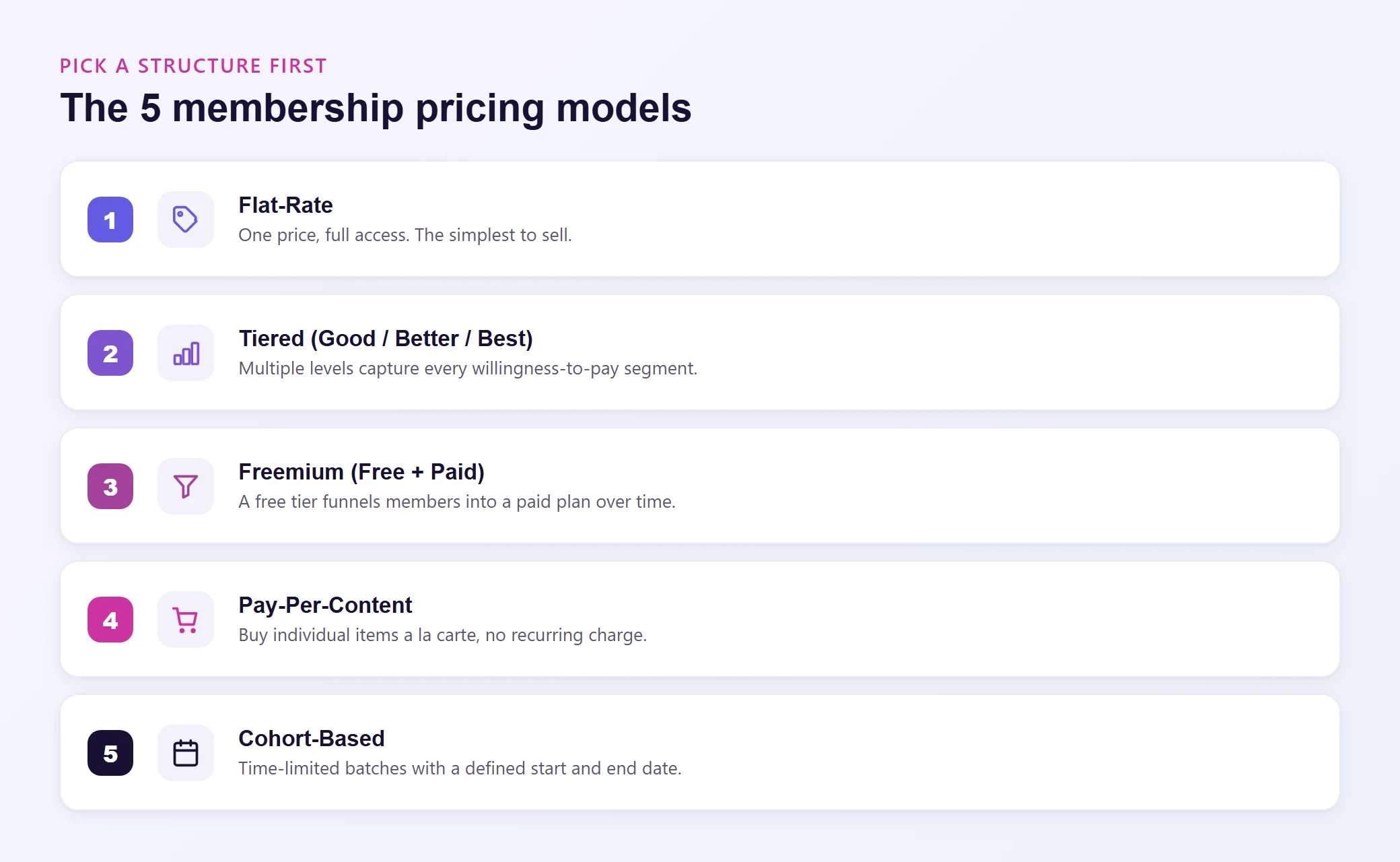
1. Flat-Rate (Single Tier)
One price, one membership level, full access to everything.
This is the simplest model and the easiest to sell. Members pay a fixed monthly or annual fee and get access to your entire content library. No feature comparisons, no "which plan is right for me" confusion.
Best for: Communities, mastermind groups, niche content libraries where all members get roughly equal value.
Example: A fitness coaching community charges $29/month for access to workout plans, live Q&As, and a private forum. Every member gets the same thing.
Pros:
- Dead simple to communicate
- No decision fatigue for potential members
- Easy to manage operationally
Cons:
- Leaves revenue on the table from members who would pay more
- No upsell path once someone joins
2. Tiered Pricing (Good / Better / Best)
Multiple membership levels at different price points, each with increasing access or perks.
This is the most popular model for a reason. It lets you capture different segments of your audience at price points that match what they are willing to pay. The entry tier gets hesitant buyers through the door. The premium tier captures maximum value from your most engaged members.
Best for: Course platforms, professional communities, and any site where you can meaningfully differentiate between access levels.
Example: An online education platform offers three tiers:
- Basic ($19/month): Access to the course library
- Pro ($49/month): Courses plus live workshops and community forum
- VIP ($99/month): Everything plus monthly 1-on-1 coaching calls
Pros:
- Captures more revenue across different willingness-to-pay segments
- Creates a natural upgrade path
- The middle tier benefits from the anchoring effect (it looks like a great deal next to the premium tier)
Cons:
- More complex to set up and communicate
- Requires enough content or features to justify multiple levels
Most membership plugins like MemberPress and Restrict Content Pro handle tiered pricing natively, so the technical setup is straightforward.
3. Freemium (Free Tier + Paid)
A free membership level with limited access, designed to convert members to a paid tier over time.
The freemium model works as a funnel. Free members get a taste of your content (maybe a few introductory lessons, limited community access, or a content preview). Once they see the value, a percentage converts to paid.
Best for: Sites with a large potential audience where the free tier serves as a marketing channel. Particularly effective for course platforms and content libraries.
Example: A marketing education site offers free access to 10 foundational lessons. Paid members ($39/month) unlock the full 200+ lesson library, templates, and community.
Pros:
- Lowers the barrier to entry dramatically
- Builds a large email list and engaged audience
- Free members become your best salespeople (word of mouth)
Cons:
- Low conversion rates (typically 2% to 5% of free members convert)
- Free members still consume server resources and support bandwidth
- Risk of devaluing your paid content if the free tier is too generous
The key to freemium: your free content must be genuinely useful on its own, but it should also make the paid tier feel essential. If the free tier is too thin, nobody sticks around. If it is too generous, nobody upgrades.
4. Pay-Per-Content (À La Carte)
Members pay for individual pieces of content rather than a recurring subscription.
This model works when your content is highly specialized and members only need specific pieces. Think: downloadable templates, individual course modules, premium research reports, or standalone workshops.
Best for: Resource libraries, template shops, and educational content where members want specific items rather than ongoing access.
Example: A design resource site sells individual template packs at $15 to $45 each. Members can also subscribe for $29/month to get unlimited downloads.
Pros:
- Low commitment for buyers (no recurring charge anxiety)
- High perceived value for premium individual items
Cons:
- Less predictable revenue compared to subscriptions
- Harder to build community and long-term engagement
- Every sale requires a new purchase decision
Many sites combine this with a subscription option: buy items individually or subscribe for unlimited access. This hybrid approach captures both audiences.
5. Cohort-Based (Time-Limited Access)
Members join in batches with a defined start and end date. Think bootcamps, group coaching programs, or seasonal courses.
Best for: Live programs, group coaching, certification courses, and any content that benefits from a shared learning experience.
Example: A business coaching program runs 8-week cohorts four times a year at $497 per cohort. Each group goes through the material together with live sessions, accountability partners, and group discussions.
Pros:
- Creates urgency and scarcity (enrollment windows)
- Higher price points are easier to justify
- Strong community bonding within cohorts
- Predictable workload for you as the creator
Cons:
- Revenue comes in bursts rather than steady monthly flow
- Requires active facilitation during each cohort
- Empty seats in a cohort feel like lost revenue
Choosing a model is step one. Now you need a number. Here is a practical framework.
Start With Value, Not Cost
The biggest pricing mistake membership site owners make is anchoring to their costs. They think: "My hosting is $99/month, my plugin licenses cost $300/year, I spend 10 hours a week creating content, so I need to charge at least $X to break even."
That math matters for your business plan, but it should not determine your price. Your members do not care what it costs you to run the site. They care what they get out of it.
Value-based pricing asks a different question: what is this membership worth to your members?
If your membership teaches freelancers how to land higher-paying clients and the average member raises their rates by $500/month after joining, a $49/month membership is a steal. If your membership provides workout plans that replace a $120/month personal trainer, $29/month feels like a bargain.
Frame your price relative to the outcome or alternative, not your expenses.
Research Your Niche
Look at what existing membership sites in your space charge. You do not need to match their pricing, but you need to understand the range your audience considers normal.
- Search for membership sites in your niche and note their pricing
- Check online course platforms for comparable offerings
- Browse community platforms (paid Slack groups, Discord servers, Circle communities) for reference points
- Read reviews and complaints about competitor offerings. Pricing objections tell you where the ceiling is
Use the 10x Rule as a Gut Check
A widely used heuristic in subscription pricing: your membership should deliver at least 10 times its cost in perceived value. If you charge $30/month, members should feel like they are getting $300/month worth of content, community, or outcomes.
This does not mean you need $300 worth of "stuff." Value is subjective. A single piece of advice that saves someone 5 hours of work or prevents a costly mistake can easily be worth $300 to the right person.
Price for Your First 100 Members, Not Your First 10,000
New membership site owners often underprice because they are thinking about volume. "If I charge $9/month and get 10,000 members, that is $90,000/month!"
The problem: getting to 10,000 members at $9/month is brutally hard. You need massive traffic, high conversion rates, and very low churn. Meanwhile, getting 500 members at $49/month produces the same revenue with a smaller, more engaged community that is easier to serve.
Higher prices also tend to attract more committed members who show up, participate, and stick around. Lower prices attract more casual buyers who sign up, forget about it, and cancel after three months.
Annual vs. Monthly Billing: The Math That Matters
Offering both annual and monthly billing is almost always the right move. Here is why.
Monthly billing is lower friction. It gets more people through the door because the commitment feels small. A $29 monthly charge is psychologically easier than a $290 annual charge, even if the annual option saves them money.
Annual billing is better for your business. It reduces churn (members who pay annually are far less likely to cancel mid-year), improves cash flow (you get 12 months of revenue upfront), and gives you a more predictable revenue base.
The standard approach: price your annual plan at a 15% to 20% discount compared to 12 months of the monthly rate.
- If monthly is $29/month ($348/year), offer annual at $279/year (20% off)
- If monthly is $49/month ($588/year), offer annual at $499/year (15% off)
Present the annual option as the default or recommended choice on your pricing page. Show the monthly cost of the annual plan ("just $23/month, billed annually") to make the comparison obvious.
Some membership sites go further and offer annual-only billing. This works when your content has a natural yearly cycle (like a certification program or seasonal content), but it does limit your addressable audience.
Free Trials, Discounts, and Getting Members to "Yes"
Free Trials
A free trial lets potential members experience your content before committing. It works well for membership sites because the value of a community or content library is hard to communicate on a sales page. People need to experience it.
Keep trials short. Three to seven days is the sweet spot. Longer trials give people time to extract value without paying, and they train your audience to wait for free access. Shorter trials create urgency to explore and decide.
Require a credit card upfront. This is controversial, but the data is clear: trials that require payment information convert at significantly higher rates than those that do not. You will get fewer trial signups, but the ones you get are more serious.
Launch Discounts
If you are launching a new membership site, a founding member discount can build your initial member base quickly. Offer the first 50 or 100 members a locked-in rate (e.g., 30% off for life) in exchange for joining early and providing feedback.
This works because:
- It creates urgency (limited spots at the discounted rate)
- Founding members become your most loyal advocates
- Their feedback shapes the membership before you scale
Do not run perpetual discounts. If your "special offer" never expires, it is not special. It is your real price. Use discounts strategically and sparingly.
Money-Back Guarantees
A 14-day or 30-day money-back guarantee reduces purchase anxiety without the operational overhead of a free trial. Members pay upfront, get full access, and can request a refund if it is not for them.
This is often simpler to manage than a trial system and works particularly well for higher-priced memberships where the financial commitment feels significant.
When and How to Raise Your Prices
Your first price will not be your forever price. As your content library grows, your community matures, and your brand reputation builds, your membership becomes more valuable. Your pricing should reflect that.
Signs It Is Time for a Price Increase
- Your content library has grown significantly since launch
- Member satisfaction and retention rates are strong
- You have a waitlist or consistently hit capacity
- You have not raised prices in over a year
- New members tell you the membership is "a steal" or "underpriced"
How to Handle the Increase
Grandfather existing members. The most common (and fairest) approach is to keep current members at their existing rate and apply the new pricing to new signups only. This rewards loyalty, avoids backlash, and gives you a natural upsell opportunity later.
Give advance notice. If you do raise prices for existing members, give them 30 to 60 days notice and explain why. "We have added 50 new courses, weekly live workshops, and a mentorship program since you joined" is a reason people can accept. "We need more revenue" is not.
Use price increases to drive annual conversions. "Lock in your current rate for the next year by switching to annual billing before the price increase takes effect." This simultaneously raises prices and improves your billing mix.
Common Pricing Mistakes (And How to Avoid Them)
Pricing too low out of fear. Underpricing signals low value. If your membership costs less than a large coffee per week, potential members will unconsciously assume the content matches that price point. Charge what your content is worth.
Too many tiers. Three tiers is the sweet spot. Four might work. Five or more creates decision paralysis and makes your pricing page feel like a spreadsheet. If you cannot explain the difference between tiers in one sentence each, you have too many.
Hiding your prices. "Contact us for pricing" works for enterprise software. It does not work for membership sites. Your audience expects to see prices on the page. Hiding them adds friction and signals that the price will be uncomfortably high.
Ignoring the hosting math. As your membership grows, your server costs change. A site with 50 members has different hosting needs than one with 5,000 concurrent logged-in users. When you are building your membership site, choose hosting that scales with you. A plan that handles 100 members today should have an upgrade path for 10,000 members tomorrow, without requiring a full migration to a different provider.
Never revisiting your pricing. Your first price is a hypothesis, not a commitment. Review your pricing at least twice a year. Look at churn rates by price point, survey members about perceived value, and adjust.
Matching Your Hosting to Your Growth Stage
Your membership pricing strategy and your hosting plan should grow in lockstep. Here is a practical way to think about it.
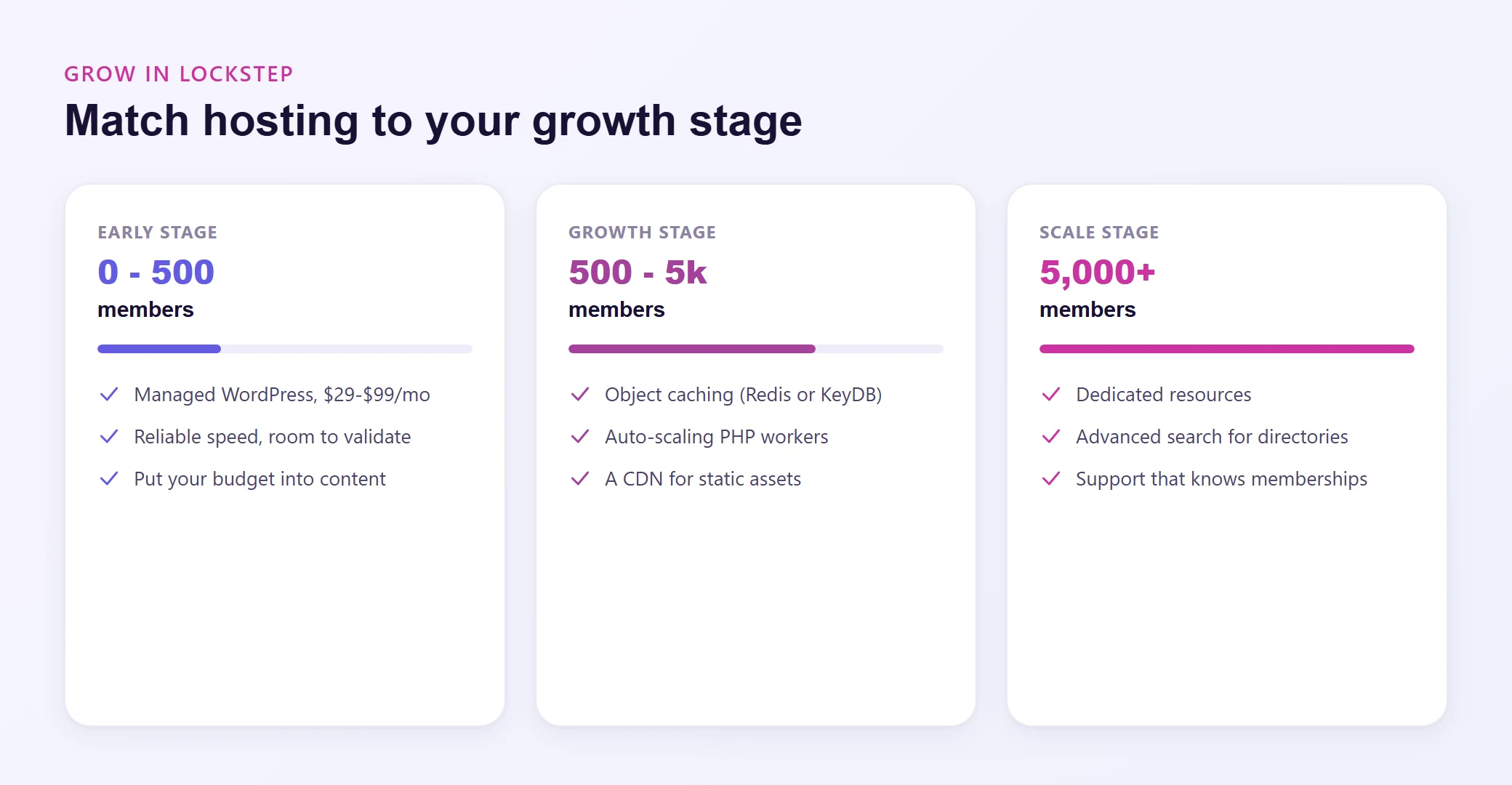
Early stage (0 to 500 members): You are validating your concept and building your content library. You need reliable hosting with good performance, but you do not need enterprise-level resources yet. A managed WordPress plan in the $29 to $99/month range covers this. Focus your budget on content creation and marketing, not infrastructure.
Growth stage (500 to 5,000 members): Your site now handles significant concurrent logged-in traffic. Page caching cannot help here because every member sees personalized content. You need object caching (Redis or KeyDB) to keep database queries fast, auto-scaling PHP workers to handle traffic spikes, and a CDN to serve static assets globally.
Scale stage (5,000+ members): At this level, database performance becomes critical. You need dedicated resources, advanced search (ElasticSearch for fast member directories and content search), and hosting support that understands membership workloads. Your hosting cost is now a small fraction of your revenue, so optimize for reliability and speed rather than the lowest price.
The point is not to over-invest in hosting before you have the members to justify it. Start lean, upgrade as revenue grows, and make sure your hosting provider offers a clear upgrade path so you never have to do a painful migration mid-growth.
Wrapping Up
Pricing your membership site is not a one-time decision. It is an ongoing process that evolves as your content grows, your audience matures, and you learn what your members actually value. Start with a model that fits your content type, set a price based on the value you deliver (not your costs), and plan to revisit your pricing every six months.
The most important thing? Pick a price and launch. You can always adjust later. But you cannot optimize a membership site that does not exist yet.