Rebuilding a WordPress site is one of those projects that sounds simple until you're three days into it. You have a mockup you love. The layout is clean, the colors are right, the spacing works. But turning that static design into a functioning WordPress site with a header, footer, front page, blog templates, custom post types, and a proper mega menu? That's a week of work, minimum. Maybe longer if your page builder decides to fight you.
So what happens when you hand the whole job to AI?
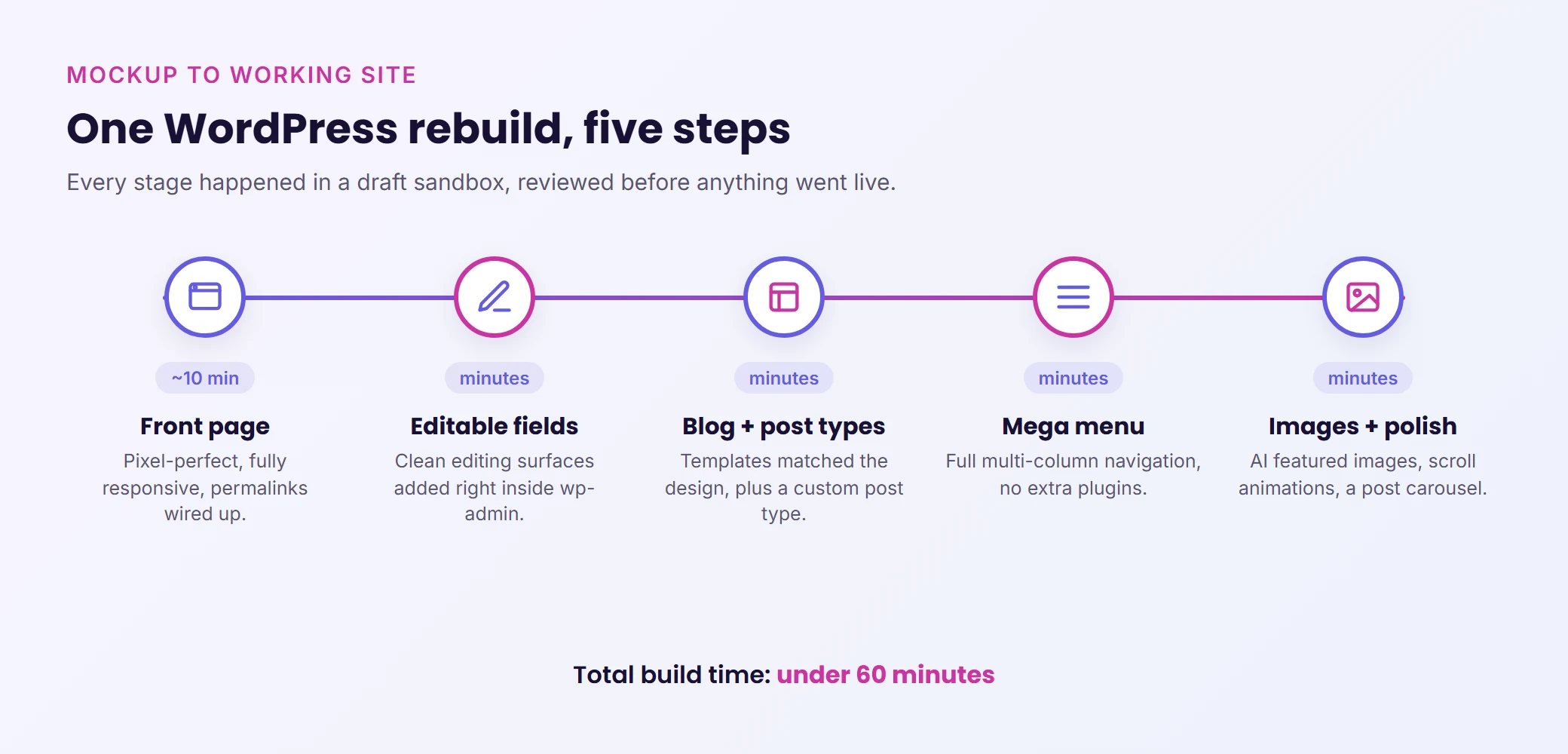
John Turner, the creator of WPVibe (and the WordPress plugin Duplicator), did exactly that. He took a static mockup and used AI to rebuild it as a fully functional WordPress site. Front page, blog, custom post types with editable fields, a mega menu, AI-generated featured images, scroll animations. All of it. In under 60 minutes.
Here's how it works, what made it possible, and why it matters for your next WordPress project.
Why Classic Themes Give AI a Head Start
Most WordPress users today build with page builders like Elementor, Divi, or Bricks. They're powerful tools, and AI can work with all of them. But for building an entire site from scratch, classic file-based themes give AI a significant advantage.
The reason comes down to how AI reasons about your design. Page builders store content in layers of abstraction: custom CSS, user-overridable classes, template hierarchies within template hierarchies. AI can navigate all of this, but it's working harder for every change. Classic themes keep your markup and styles right next to each other. Add Tailwind CSS to the mix, and your entire design language lives in one predictable place.
That doesn't mean you need to abandon your page builder. WPVibe supports every major builder (Elementor, Divi, Bricks, Breakdance, Beaver Builder, SeedProd, Kadence, GeneratePress). But if you're starting from a blank canvas and want maximum speed, the classic theme route gets you there faster.
The Rebuild: From Static Mockup to Working Site
Front Page in About 10 Minutes
The process started with a static "vibe coded" site, essentially an interactive mockup with real design tokens. John fed those tokens into WPVibe, which connected to his WordPress installation and started building inside a draft preview sandbox. Nothing touched the live site.
The AI replicated the front page pixel for pixel, including fully responsive mobile layouts and wired-up permalinks. Total time for the front page: roughly 10 minutes.
What made this work was the feedback loop. The AI didn't just write code and cross its fingers. It rendered the page in a browser, visually checked the result against the design, and kept iterating until everything matched. That self-correction cycle is the difference between "AI built this" and "AI built this and I spent two hours fixing it."
Making the Right Fields Editable
Here's where things get practical for anyone running a real business on WordPress.
A fully AI-built site looks great, but your marketing team still needs to update headlines, swap images, and tweak copy without touching theme files. John solved this with one instruction: "Make this headline editable."
The AI inspected the existing markup, integrated custom fields, and created clean editing surfaces inside wp-admin. No full-site editing complexity. No risk of breaking the design. Just the specific fields your team actually needs to change, right where they expect to find them.
For anyone managing a membership site, WooCommerce store, or LMS platform, this is a big deal. You get the precision of an AI-crafted design with the everyday usability your non-technical team requires.
Blog and Custom Post Types in Minutes
Adding a blog triggered something clever. The AI analyzed existing design patterns from the home page and features sections, identified the visual language (typography, spacing, color relationships), and applied it consistently to the blog templates. It set up the static front page and posts page routing, styled everything to match, and populated test posts for review.
Then came a custom post type called "Cookbook," designed for storing reusable patterns and recipes. Instead of mapping out every field in advance, John described what he wanted in plain language, reviewed the AI's interpretation, and refined from there.
That's the shift worth paying attention to. You stop spending hours planning and start iterating, because getting close and then refining is so fast that you don't need perfection on the first pass.
The Mega Menu Nobody Wants to Build By Hand
If you've ever built a mega menu in WordPress, you already know. It's typically a full day of work. Some page builders charge extra for premium mega menu add-ons. Hand-coding one from scratch is worse.
John described the menu structure he wanted, reviewed the AI's plan, and let it build the whole thing. No extra plugins. No wasted day. Just a working mega menu that matched the rest of the site's design, built in minutes.
Featured Images with Personality
The finishing touch was AI-generated featured images using Gemini's image model. Each image featured the WordPress mascot Wapuu in a comic-strip style, reacting to each article's topic with personality. The AI even researched the GPL licensing for the Wapuu character and added proper attribution.
Beyond the featured images, the build also included animated stat counters, fade-in-on-scroll animations, and a featured post carousel on the home page. These are exactly the kind of polish details that usually get cut from a project's scope because "they'll take too long." With AI handling the implementation, they took minutes instead of hours.
What Made a One-Hour Rebuild Realistic
Four things came together to make this possible:
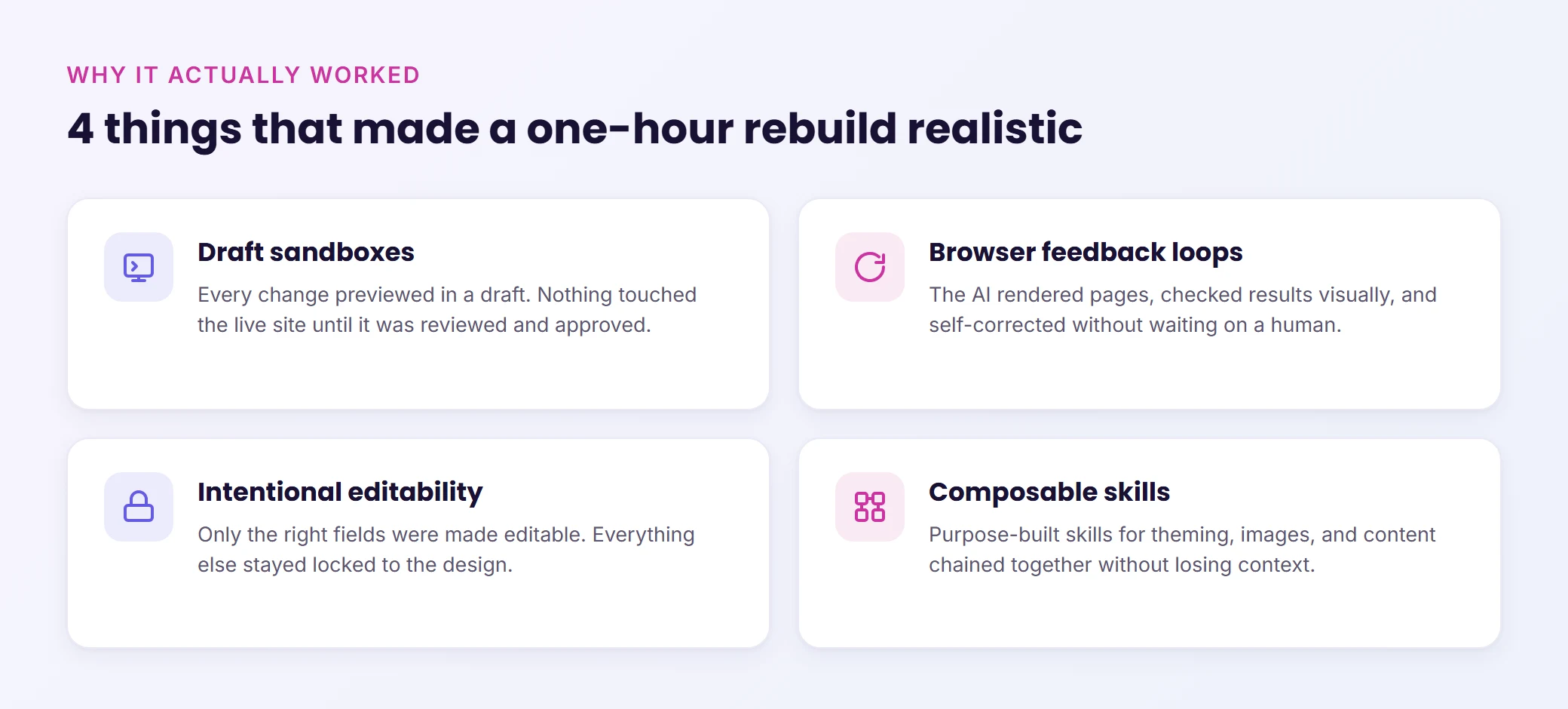
Draft sandboxes. Every single change happened in a preview environment. Nothing touched the live site until it was explicitly reviewed and approved. If you're going to let AI build things on your WordPress site, this is non-negotiable. You need guardrails.
Browser feedback loops. The AI rendered pages, visually verified results, and self-corrected without human intervention. This is what cut the back and forth from hours to minutes.
Intentional editability. Instead of making every element editable (which creates a maintenance nightmare), John told the AI exactly which fields should be human-manageable. Everything else stayed locked to the design. Control where it matters, consistency everywhere else.
Composable skills. The AI had purpose-built skills for different tasks (theme building, image generation, content management) that could chain together without losing context between steps.
Levamo + WPVibe: AI Management, Built In
WPVibe is the technology behind Levamo's AI Management feature. The draft sandboxes, approval workflows, page builder integrations, and 40+ WP-CLI commands you've read about in this post all run through WPVibe under the hood.
For Levamo customers, this means you don't need to set anything up separately. Open the AI Management tab in your Levamo dashboard, connect Claude, ChatGPT, or Cursor, and start managing your site through conversation. No extra plugins, no separate accounts. Your AI can draft posts, update plugins, run full site checkups, build pages, and rebuild sections of your site from conversation.
Wrapping Up
The traditional WordPress rebuild (spend days converting a design into a functioning site, debug layout issues, hand-wire navigation, style blog templates to match) is starting to look like the hard way. With AI that can reason about your design, build safely in draft sandboxes, self-correct through visual feedback, and create proper editing surfaces for your team, a full site rebuild in under an hour is genuinely achievable.
The most impressive part of John's rebuild wasn't the speed. It was the quality. Responsive layouts, editable fields, custom post types, mega menu, scroll animations. Every piece was production-ready, not "good enough for a demo."
If you're planning a site redesign or building something new from scratch, AI just redrew your project timeline.