Picture this: your developer needs full access to your WordPress hosting account. They need to create environments, manage sites, handle domains, and open support tickets. But handing over your account ownership means handing over billing control and every administrative lever that comes with it. That's an uncomfortable trade.
Until now, you were choosing between too much trust and too little access.
That changes today. Levamo just shipped two new team management features, and they solve exactly that problem.
What Changed
Two things landed in your dashboard:
- Super Admin role: a new role that gives a teammate full owner-level access to sites, environments, domains, and team management, without transferring account ownership or billing control.
- Team email alerts: optional email notifications when sites or environments are created or deleted, and when backup storage approaches its limit.
Both are live now in my.levamo.com. Here's how each one works.
The Super Admin Role
The Super Admin sits one step below the account Owner in the role hierarchy. Think of it as trusted access without the liability transfer. A teammate with this role can do virtually everything the Owner can do. What stays off-limits is billing ownership and account control.
What a Super Admin Can Do
A Super Admin has:
- Full access to create and delete sites and environments
- Domain management
- Customer support access
- View and manage all team members
- Ability to invite teammates and grant Administrator or Super Admin roles to others
- Access to all environments across the account
In short: the full operational scope of your account, without the billing seat.
What Stays Protected
Three things remain locked to the account Owner:
- Account ownership. Only the Owner holds the account. This cannot be transferred through the role system.
- Billing and payment details. Super Admins can view plan information but billing remains controlled by the Owner.
- Role-change restrictions. Nobody can change their own role. Nobody can change the Owner's role. Only the Owner or a Super Admin can grant the Administrator or Super Admin role to others.
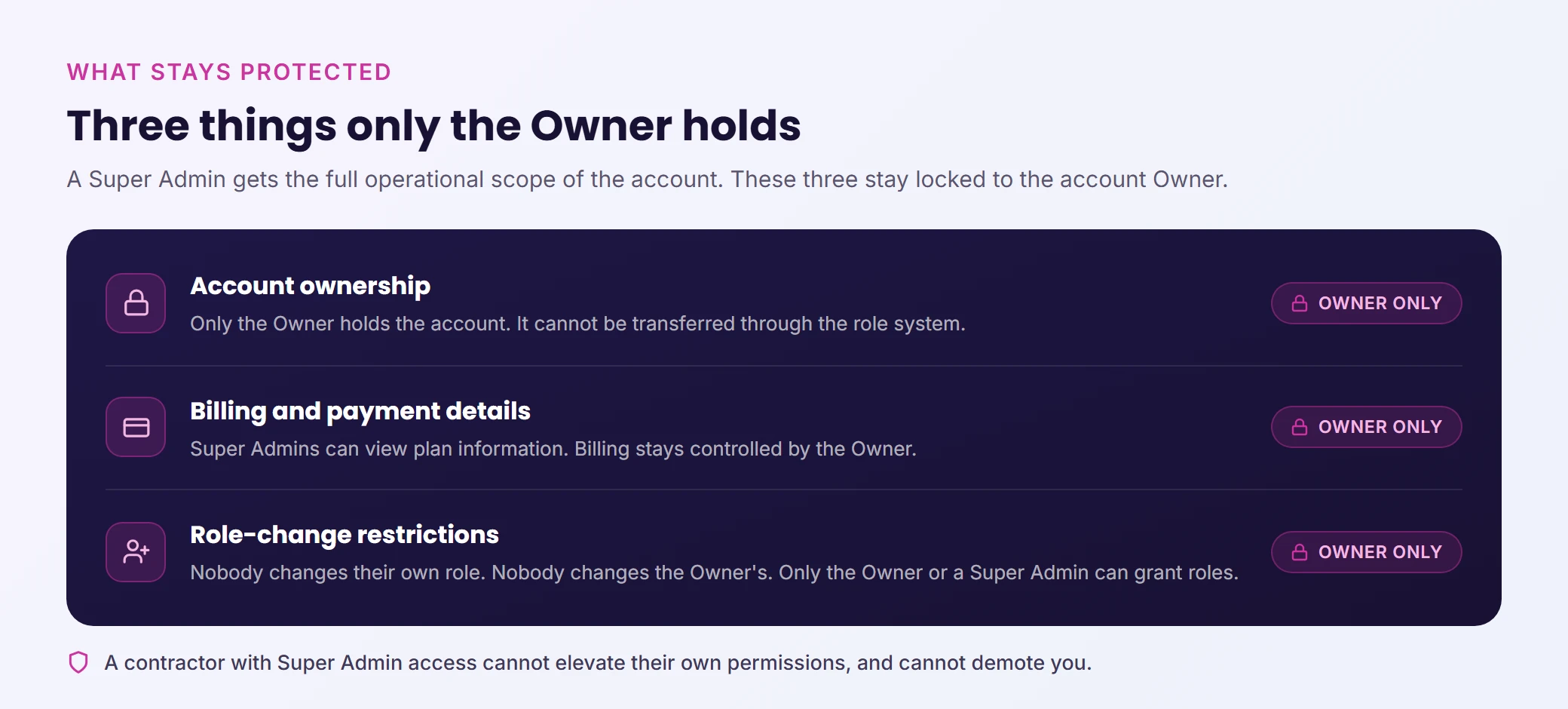
That last point is worth reading carefully. A contractor you give Super Admin access to cannot elevate their own permissions. They cannot demote you. You stay in control of the account.
Full role-by-role detail is in the Help Center: Team roles and permissions.
How to Add a Super Admin
From the Team page in your Levamo dashboard:
- Click Invite people
- Enter the teammate's email address
- Set their Team role to Super Admin
- Review the permissions summary. The dashboard shows exactly what they'll have access to before you confirm
- Click Send invite
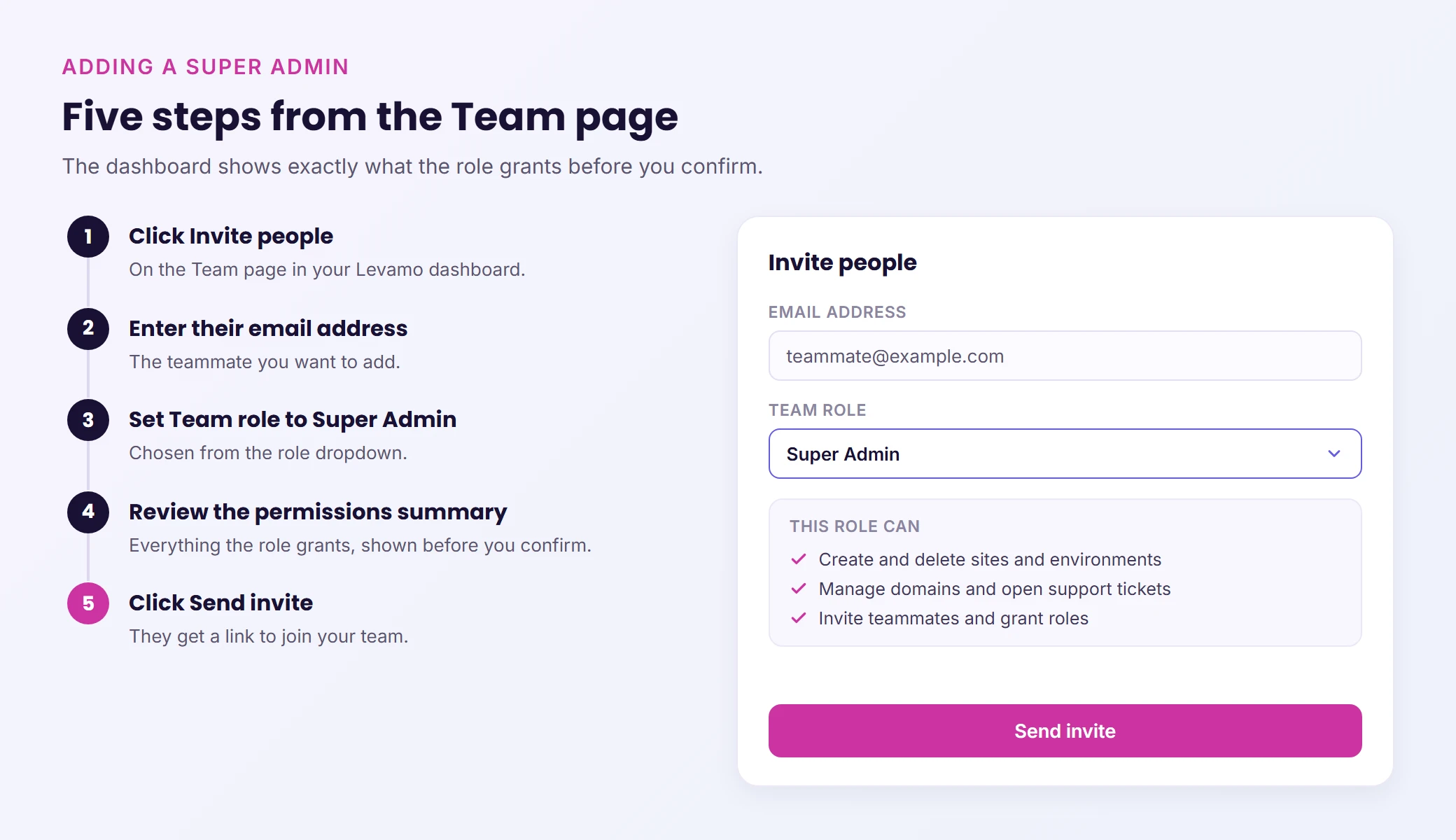
They'll receive an email with a link to create or connect a Levamo account and join your team. If they already have a Levamo account, they're added directly.
More on adding, editing, and removing teammates: How to manage team members.
A warning appears before you confirm: Super Admins have the same access as the account owner, including managing other Super Admins and deleting any environment or site. Treat this role like a business partner key, not a standard contractor login. Grant it deliberately.
Every Role Change Is Logged
Every time a team member's role changes, it appears in the team activity log with the person who made the change and the timestamp. To view it: open the Team page, then click Activity in the top right.
Full walkthrough: How to view your team activity log.
Team Email Alerts
Team email alerts are opt-in notifications that land in your inbox when structural changes happen inside your Levamo account. They're off by default and enabled at the team level by the Owner.
When alerts are on, they go to the Owner, all Super Admins, and all Administrators. Each person then controls their own preferences independently.
What You're Alerted About
Three categories are available:
- Site: when a site is created or deleted
- Environment: when an environment is created or deleted
- General: general team-level alerts
The alert email arrives with a subject line formatted as [Team Name] Site created: [Site Name], includes a direct link to open the environment in Levamo, and tells you how to manage your alert preferences without digging through settings.
These aren't noisy status pings. They fire when something structural changes. A site gets added to your account. An environment gets removed. If your team is active, you know about it without watching the dashboard.
How Each Member Manages Their Own Alerts
On the Team page, click the three-dot menu next to your own row, then select Email alerts. From there, you can:
- Toggle alerts on or off entirely for yourself
- Choose which categories you receive: Site, Environment, or General
Your choices only affect you. Other members manage their own preferences the same way.
How to Enable Alerts for Your Team
Go to Team Settings (top right of the Team page), scroll to Email alert notifications, and toggle Send email alerts for this team on. Save changes. Once enabled, alerts flow to the Owner, Super Admins, and Administrators on the team.
Full setup guide: How to set up team email alerts.
The Full Role Hierarchy at a Glance
| Role |
Sites and Environments |
Team Management |
Billing |
Can Be Changed By |
| Owner |
Full access |
Full access |
Full access |
Cannot be changed |
| Super Admin |
Full access |
Grant Admin/Super Admin |
View only |
Owner or Super Admin |
| Administrator |
Full access |
Invite members |
No access |
Owner or Super Admin |
| Developer |
Assigned environments |
No |
No |
Owner, Super Admin, or Admin |
| Viewer |
Read-only (assigned) |
No |
No |
Owner, Super Admin, or Admin |
One detail worth noting: nobody can assign themselves a higher role, and nobody can modify the Owner's role. The permission chain only flows downward.
Wrapping Up
The Super Admin role and team email alerts solve two things that matter when you're not working alone. You can give a trusted teammate the full access they need without the risk of handing over account control. And you can stay informed about what's happening in your account without babysitting the dashboard.
If you manage a team in Levamo, now's a good time to review your role assignments and decide whether email alerts belong on for your account. Both features are live in your dashboard right now.