Do you want to integrate WordPress with your CRM? Are you tired of manually exporting and importing leads?
Communication is an essential aspect of business ownership. You need to communicate and build good relationships with your customers to build a lasting brand.
Over the years, communication with customers or website subscribers has become easier with the advent of email marketing integrations for WordPress and CRMs. Most CRM offers all the tools you will need to maintain a database of customer contacts and send them periodic emails based on your preference.
Upgrading your business or website with WordPress CRM integration and email marketing features is important to take advantage of automation, which can save you time and keep your data synchronized.
The FuseWP WordPress automation plugin integrates WordPress with various email marketing integrations for WordPress and CRMs.
Connecting your WordPress site to your email marketing software or CRM can provide numerous benefits, but we will quickly mention some.
Improved Data Management
If you do not have a WordPress CRM integration, you will have to perform extensive manual data management and synchronization. To streamline this process, you can also consider using CDC software to capture real-time data changes and maintain accurate, up-to-date information across your systems
However, when your systems are connected, you can automate the data synchronization, simplifying your data management process and ensuring updated records across various platforms. This becomes even more critical when using best managed WordPress hosting services that prioritize seamless integrations and platform optimizations, ensuring your data is always synchronized effectively.
Targeted Marketing Campaigns
One of the biggest benefits of CRM and email marketing integrations for WordPress is “Personalization”.
Personalization enables you to create highly targeted emails and marketing campaigns by leveraging the data from your WordPress site, CRM, and email marketing platform. To boost email deliverability, use an SPF record generator to authenticate your domain and avoid spam filters.
When you use WordPress CRM integration, you can access up-to-date data such as purchase history, membership status, demographics, and more.
If you're running an e-commerce site with managed WooCommerce hosting, integrating these platforms ensures accurate, real-time insights into customer behaviors. This enables you to create list segments, craft targeted campaigns, and send personalized emails that resonate with each user, improving your conversions and engagement.
Improved Customer Insights
Connecting your WordPress website with your email marketing platform or CRM can provide better insight into customer behaviors, interactions, and preferences. These data points can help you create better-personalized offers and targeted marketing campaigns that resonate with your customers.
If needed, an email marketing agency can support you in analyzing this data and executing campaigns more effectively.
Introducing FuseWP?
FuseWP is a marketing automation plugin that synchronizes your WordPress users, forms data, eCommerce data, membership details, and other information between your WordPress site and your favorite CRM.
With FuseWP, any changes to a user’s data on your WordPress site are automatically synced to your WordPress CRM integration and email marketing integrations. There is no longer a need for manual reconciliation or checks. It ensures that all your users' data are updated across all marketing platforms.
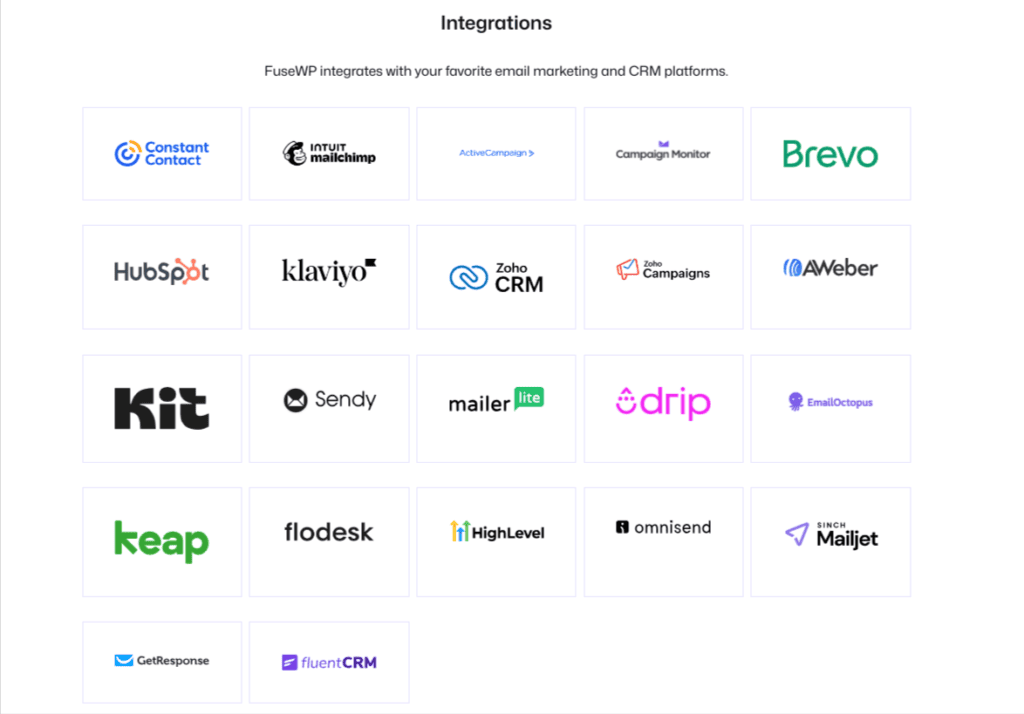
FuseWP supports various platforms, including popular ones like Mailchimp, Brevo, Constant Contact, Hubspot, Zoho, Sendy, Campaign Monitor, AWeber, Zoho CRM, Zoho Campaigns, Kit (ConvertKit), Drip, Brevo, HubSpot, MailerLite, Klaviyo, and more.
Installing And Activating FuseWP
To install FuseWP, go to the FuseWP website to purchase a suitable license. After purchasing a license, you will receive an email with your license key and the plugin download link. Download the plugin to your computer.
Next, log in to your WordPress dashboard, navigate to Plugins >> Add New, and click “Upload Plugin”.
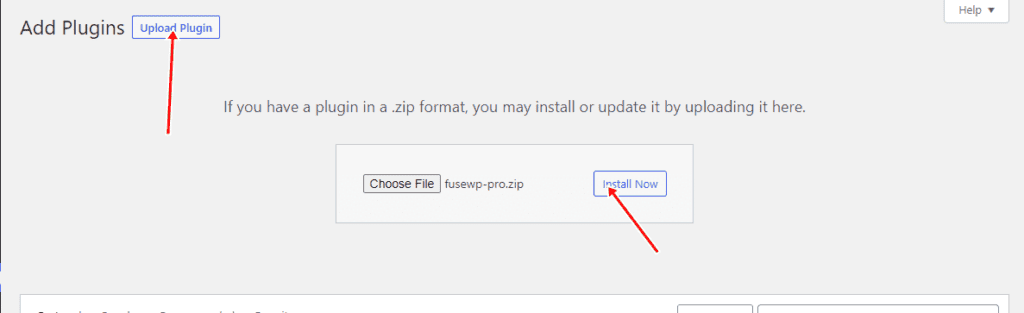
Upload the FuseWP plugin you downloaded earlier and click the “Activate Plugin” button to activate the plugin.
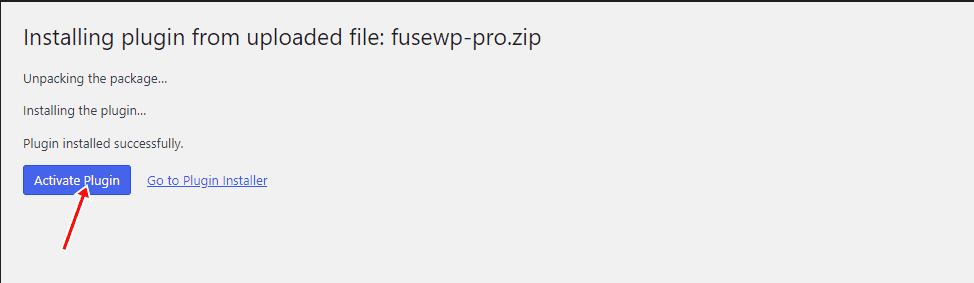
With this done, you have enabled FuseWP, and are ready for CRM and email marketing integrations for WordPress.
How To Sync WordPress Users to a CRM (MailChimp)
FuseWP integrates with all the popular CRM and Email marketing platforms, but we will use Mailchimp for this article. The process is similar to that of other platforms; just follow the intuitive user interface of FuseWP.
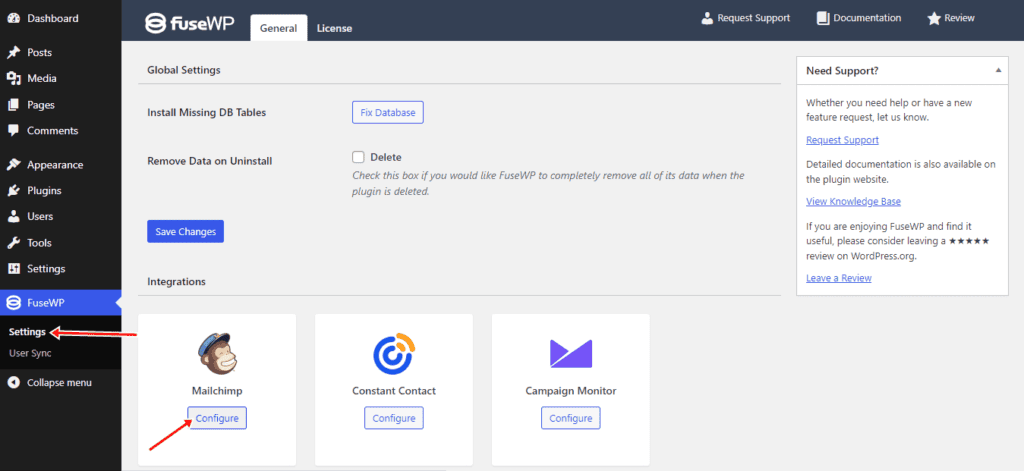
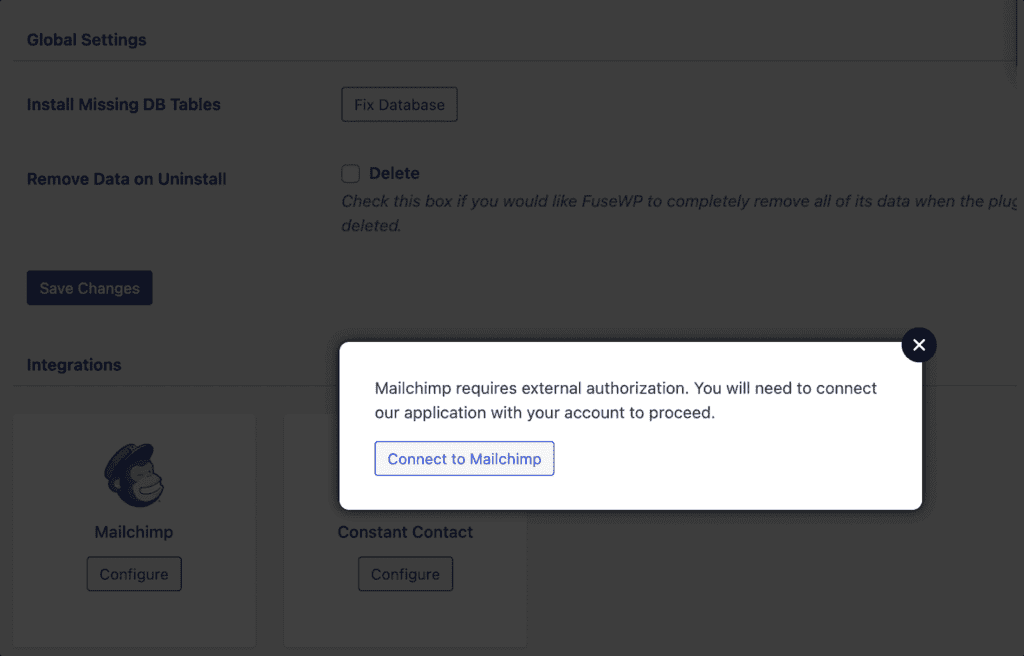
To integrate FuseWP with Mailchimp, navigate to FuseWP >> Settings. Scroll to the Integrations section and click the “Configure” button under the MailChimp logo to open the popup box.
In the popup box, click the “Connect MailChimp” button.
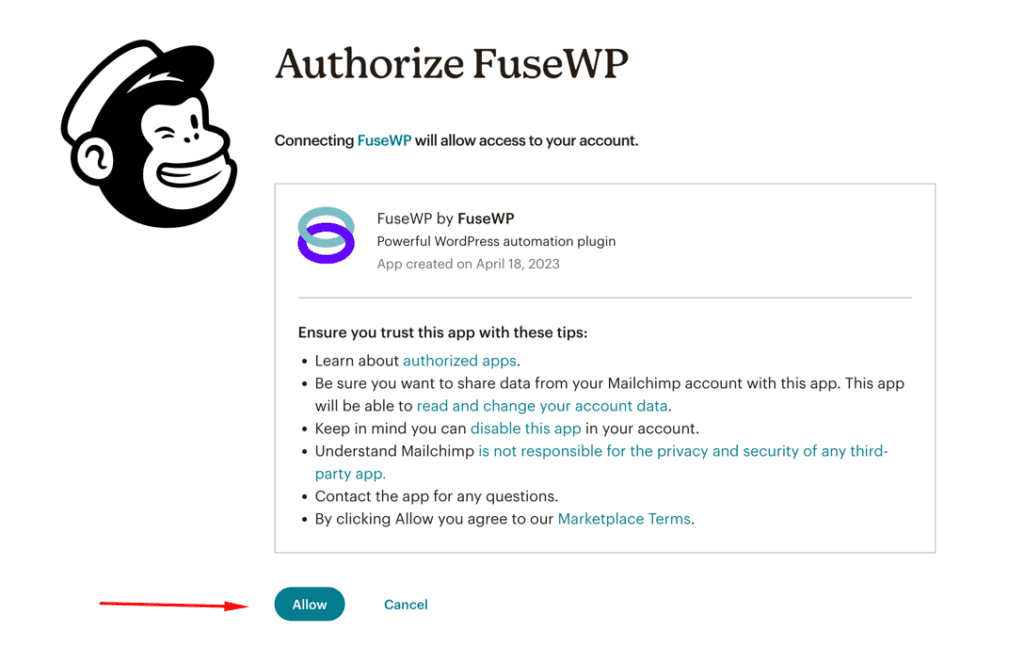
Once you click the button, you will be taken to the MailChimp website to log in and authorize the connection with FuseWP.
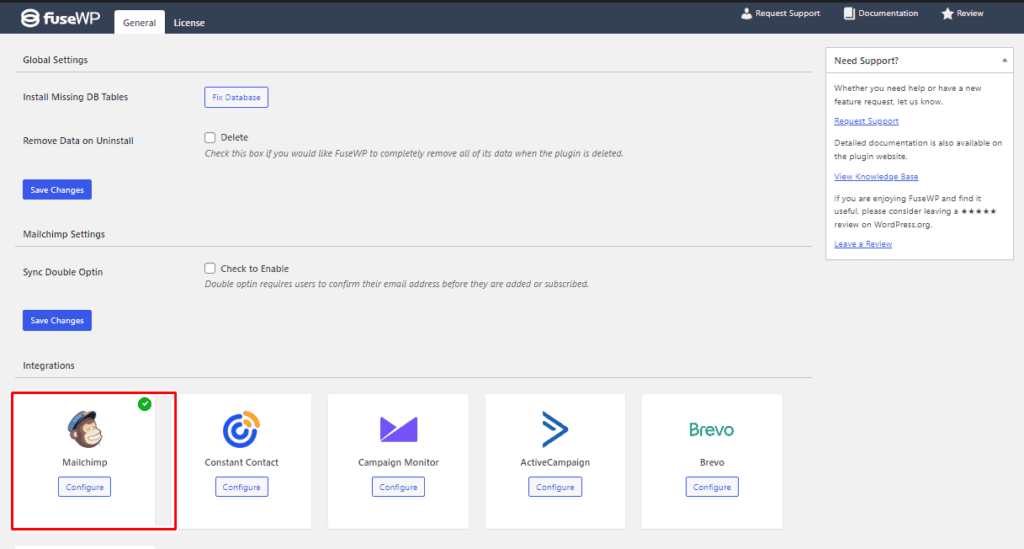
After authorizing the connection, you will be redirected to the FuseWP settings page. A green checkmark should indicate that Mailchimp has been successfully connected to your WordPress website.
Syncing WordPress Users to Your Email List
Now that you have integrated your WordPress site with Mailchimp, you need to set up the syncing process so that WordPress leads and users are automatically synced.
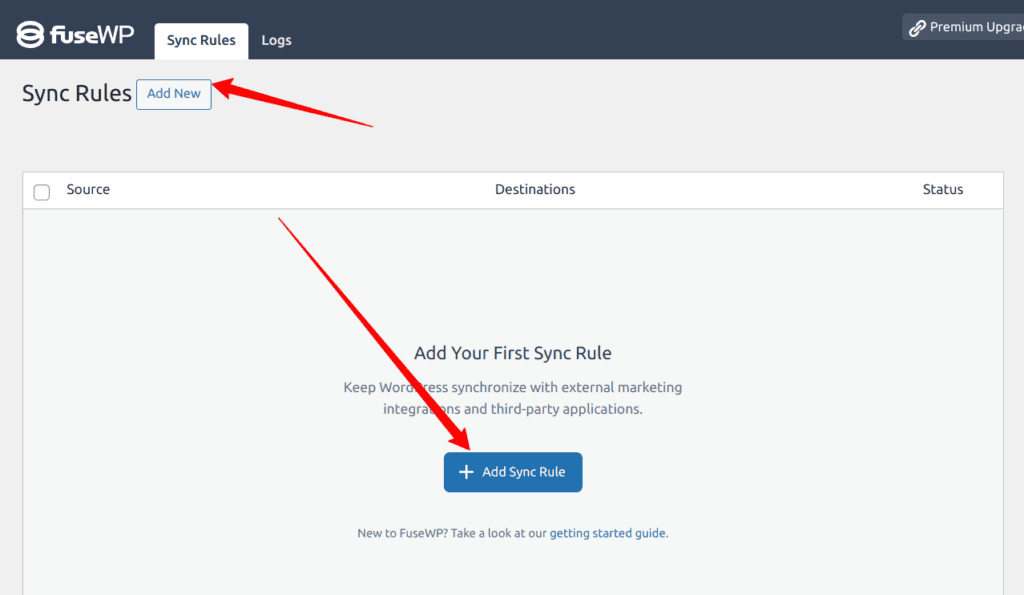
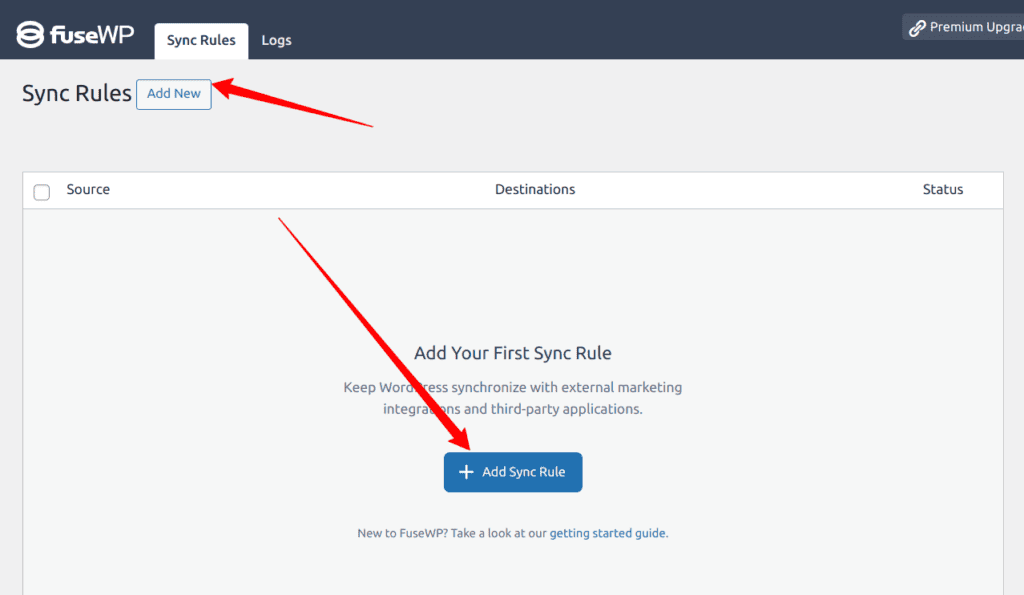
Navigate to FuseWP >> User Sync and click the ‘Add New’ button.
On the next page, you must choose a source and a destination. Select the “User Roles” as your source.
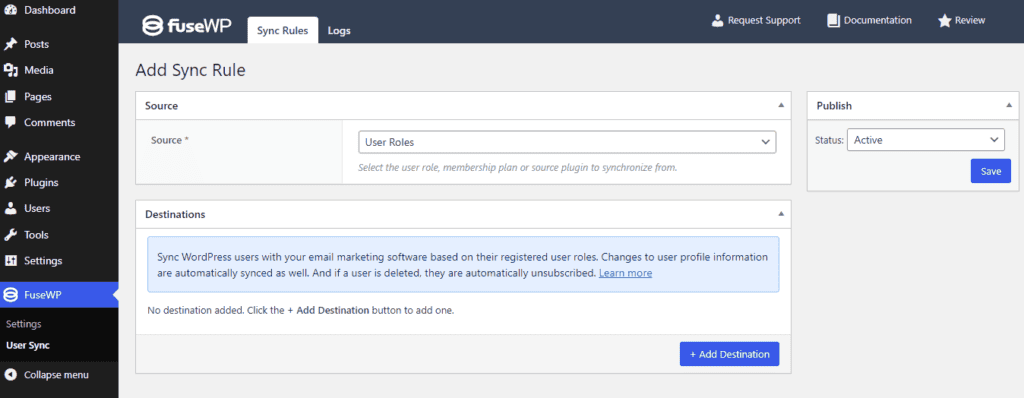
Next, click the “+ Add Destination” button and choose the user role you want to sync. For this article, we will select the “Any Roles” option and choose MailChimp as our Integration.
In the “Select Audience” dropdown, select your desired Mailchimp list to which the users will be added.
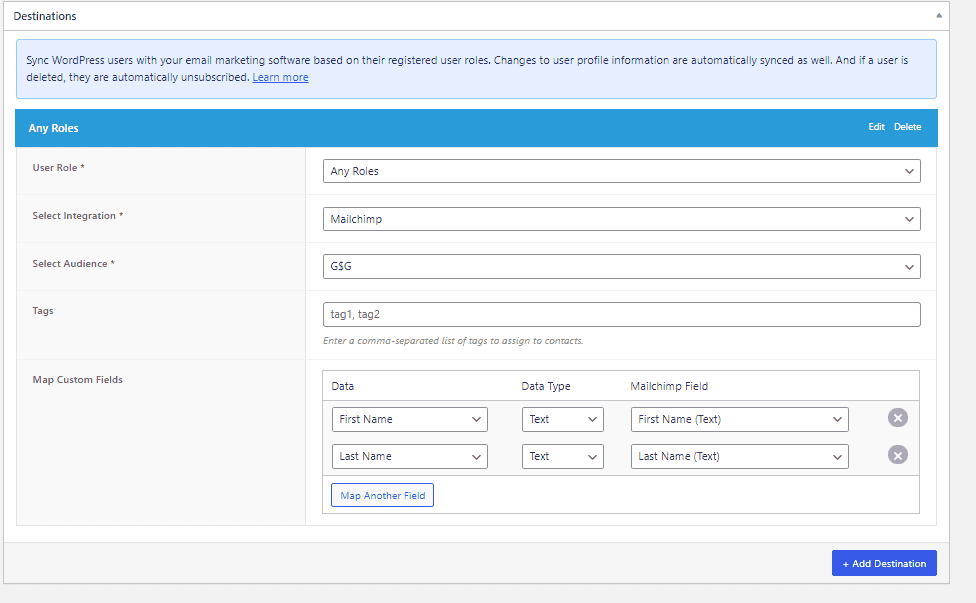
In the image above, we are syncing all users belonging to any role on our WordPress site to our MailChimp mailing list and sending their First Name and Last Name data to MailChimp. FuseWP also supports syncing custom fields mapped to merge fields in Mailchimp.
In the image below, we are syncing all users with the “Subscriber” role to the “Test List” audience on MailChimp.
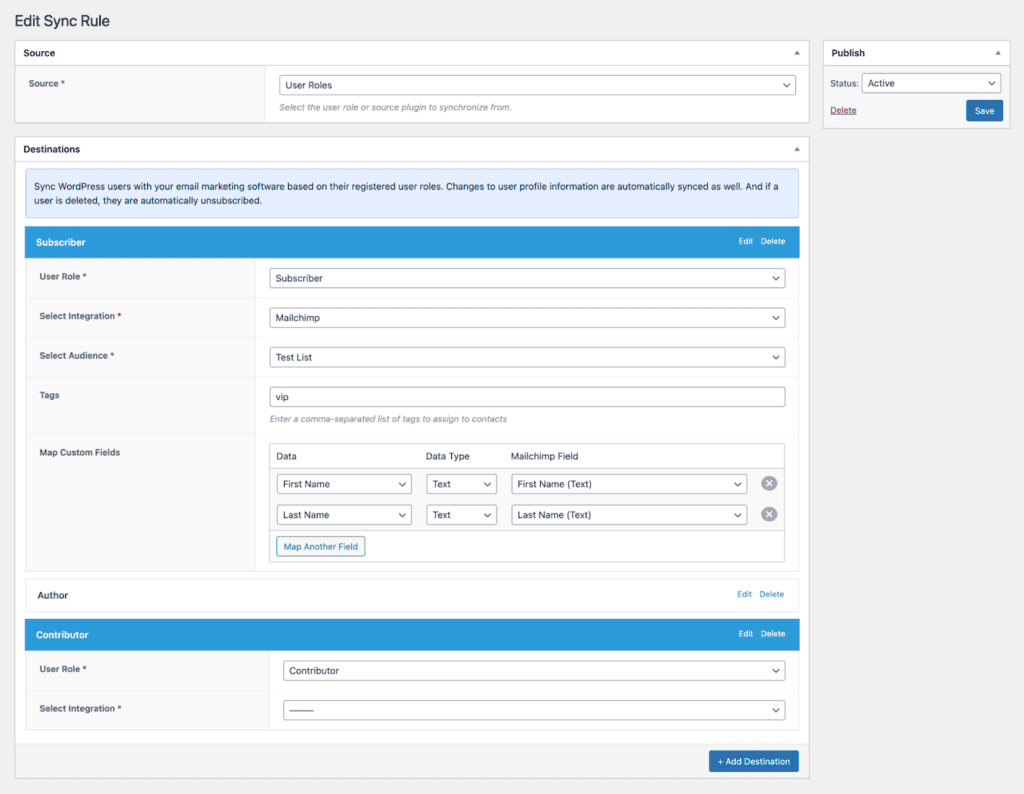
FuseWP can sync all the various user roles available on your WordPress site. To synchronize multiple roles, repeat the above steps to add more destinations with different User Roles.
For CRMs and Email marketing platforms that support custom field mappings and tagging, you can map or tag your user data to these fields from this synchronization setup page.
We have successfully configured synchronization between our WordPress users and MailChimp email lists. When someone signs up for our WordPress site, they will be automatically added to our MailChimp list. If they update their information on our WordPress site, the data will also be updated in our MailChimp list.
FuseWP also synchronizes WordPress form data with your email marketing platforms or CRM. It supports popular WordPress form plugins such as Gravity Forms and WPForms.
This section will focus on syncing data from WPForms entries to a MailChimp email list. We will automatically add users who submit our WPForms form to our MailChimp email list, a process similar to other supported WordPress forms plugins.
Navigate to FuseWP >> User Sync and click the “Add New” button.
On the next page, you will need to choose a Source and a Destination. For the source, select “WPForms,” for the Source Item, select an existing Form you want to sync.
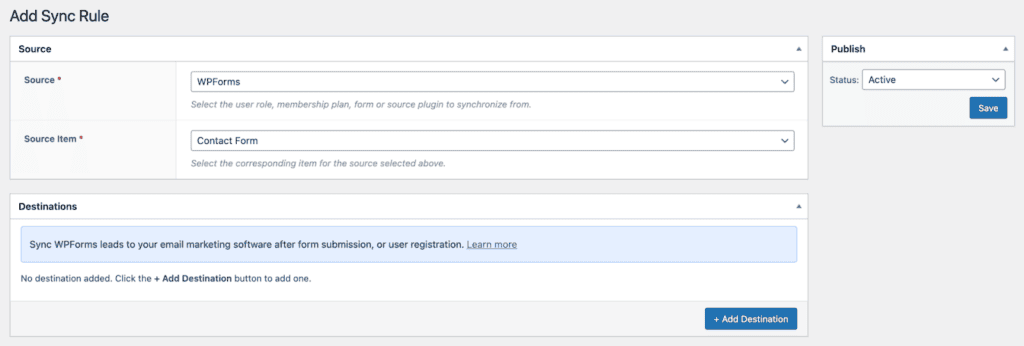
Note: You need to have created at least one WPForms form before you can choose a ‘source item”.
Next, click the “+ Add Destination” button to select the event that triggers the data sync.
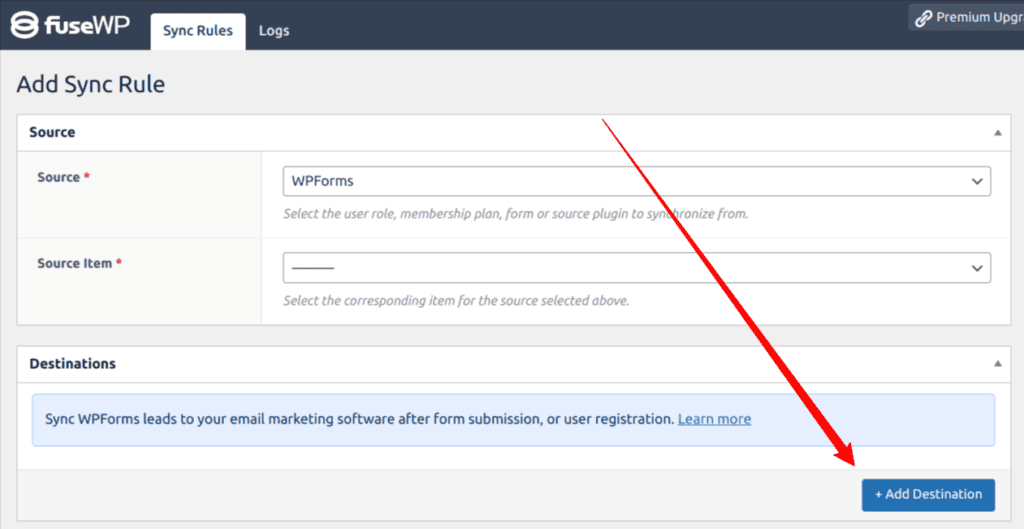
Next, select your Audience and map your custom fields to your MailChimp fields.
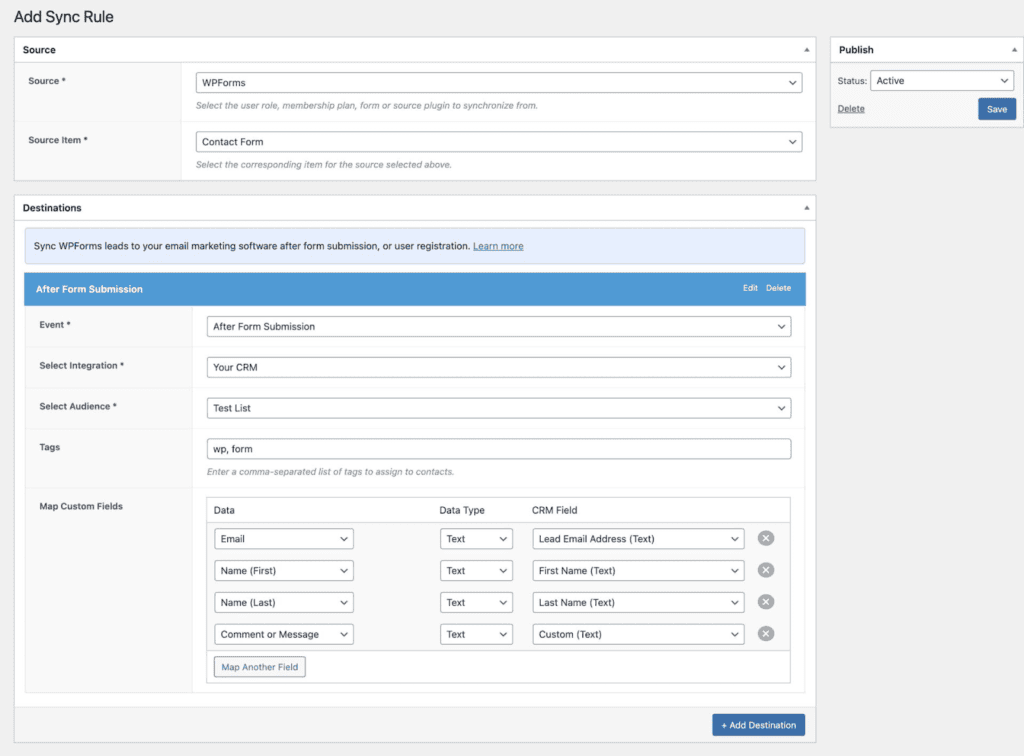
In the image above, all users who fill out and submit the contact form powered by WPForms will be added to our “Test List” mailing list on MailChimp and tagged with ‘wp’ and ‘form’.
FuseWP can also add users after they sign up via a form powered by WPForms. In this case, the “Event” in our Destination setup will be “After User Registration” as shown below.
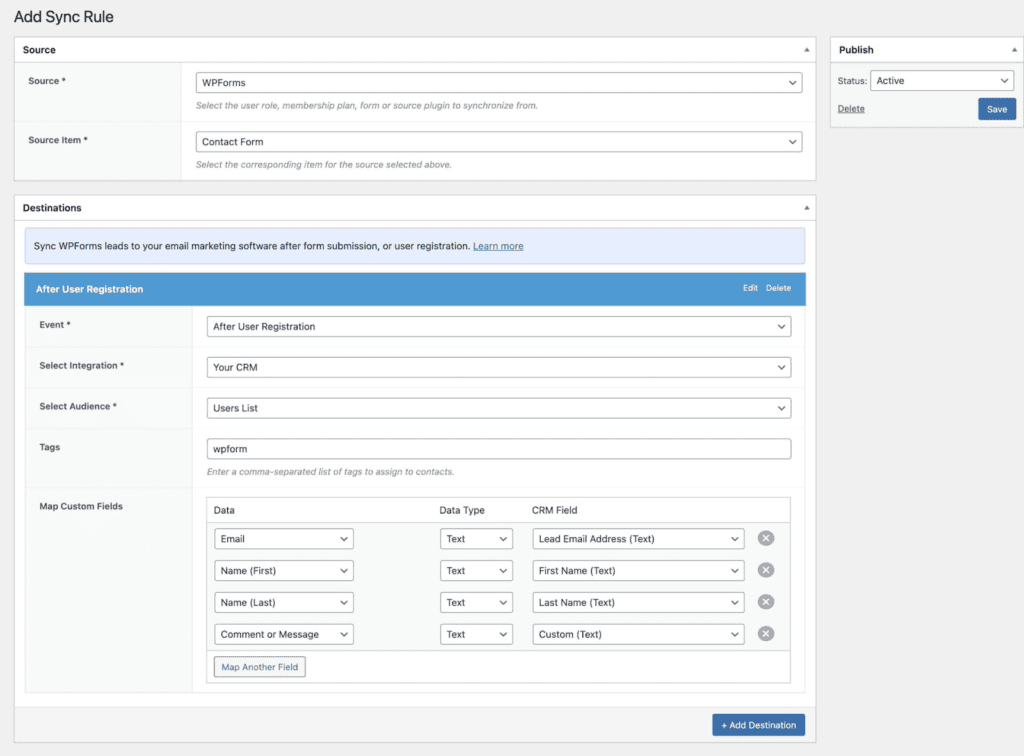
Once you have completed this setup, you have successfully connected WPForms to Mailchimp and established a reliable WordPress CRM integration and email marketing integrations for WordPress.
Note that FuseWP also integrates various ecommerce, LMS, and WordPress membership plugins like WooCommerce, Paid Memberships Pro, and MemberPress, Easy Digital Downloads, ProfilePress, LearnDash, LifterLMS, so you can use FuseWP to sync your customers and membership data with any CRM and email marketing platform.
And if you're running a membership site with MemberPress hosting, FuseWP ensures your membership data is accurately synchronized, enhancing customer management and marketing automation. Similarly, course creators leveraging LifterLMS hosting can take advantage of FuseWP to streamline student data and optimize engagement strategies, all while maintaining a smooth and reliable platform.
Wrapping Up
The FuseWP plugin offers a simple solution for integrating and syncing your WordPress data with your favorite email marketing solution. It integrates with email newsletter signup forms to capture and save leads to your CRM.
Keeping in touch with customers is an important aspect of business, and integrating your WordPress website with your CRM or email marketing software can make it easier.