Your WordPress login page is public by default. Every WordPress site on the internet has a predictable login URL. And automated tools can throw thousands of password combinations at that URL every hour without breaking a sweat.
That's the brute force problem in three sentences.
A brute force attack isn't sophisticated. There's no exploit code, no zero-day vulnerability, no clever social engineering. It's raw repetition: an automated script tries username-password combinations against your login form until one works. The approach is blunt, persistent, and surprisingly effective when sites don't have the right defenses in place.
According to Cloudflare's application security reports, credential stuffing and brute force attacks remain among the most common threats targeting web applications globally. WordPress sites are disproportionately targeted because of their market share and predictable login structure.
The good news? Brute force attacks are also one of the easiest threats to neutralize, if you layer your defenses correctly. This guide covers what brute force attacks look like, why WordPress is a favorite target, and exactly how to shut them down.
How Brute Force Attacks Actually Work
At its simplest, a brute force attack is an automated guessing game. An attacker points a script at your login page and feeds it a list of usernames and passwords. The script submits login attempts one after another, hundreds or thousands per minute, until it hits a valid combination or gives up.
But modern brute force attacks are more nuanced than just random guessing. Here are the main variants:
Simple brute force: The script cycles through every possible character combination. This is the least efficient method and mostly targets weak passwords like "123456" or "password." It sounds primitive, but it still works because people still use those passwords.
Dictionary attacks: Instead of trying every character combination, the script uses a pre-compiled list of common passwords, leaked credentials, and popular word combinations. These lists are publicly available and contain millions of entries drawn from past data breaches.
Credential stuffing: The attacker uses username-password pairs stolen from breaches on other sites. If someone reused their Netflix password on their WordPress admin account, they're a sitting duck. The Verizon Data Breach Investigations Report consistently finds that stolen credentials are involved in a significant percentage of web application breaches.
Reverse brute force: Instead of trying many passwords against one account, the attacker picks one common password (like "admin123") and tries it against thousands of different usernames. This approach is harder to detect because each individual account only sees one failed attempt.
The Two Entry Points Attackers Target
WordPress has two primary endpoints that accept authentication:
wp-login.php: Your standard login page. Every WordPress site serves it at the same URL by default. Bots know exactly where to find it, and it accepts unlimited login attempts unless you've configured something to stop them.
xmlrpc.php: This is the one most site owners overlook. XML-RPC is a legacy API that WordPress originally used for remote publishing (think: blogging from your phone back in 2008). The system.multicall method lets an attacker bundle hundreds of login attempts into a single HTTP request. That means rate limiting based on "one attempt per request" doesn't catch it. One XML-RPC request can test 500 passwords at once.
If you're not actively using XML-RPC (and unless you're using the WordPress mobile app or Jetpack's older features, you're probably not), it's an attack surface you can close entirely.
Why WordPress Sites Are Disproportionately Targeted
WordPress runs roughly 40% of the web. That alone makes it the highest-value target for automated attack tools. But there's more to it:
Predictable login URLs. Every default WordPress installation serves its login form at /wp-login.php and its admin dashboard at /wp-admin/. Attackers don't need to discover where to send login attempts.
The "admin" username legacy. Older WordPress installations defaulted to "admin" as the primary username. Millions of sites still use it. Attackers know this, so "admin" is always the first username in their list.
Plugin and theme vulnerabilities create footholds. A successful brute force isn't always the end goal. Sometimes attackers use brute-forced credentials to install backdoors, inject SEO spam, or pivot to attacking other sites on the same server. The admin access is just the entry point.
Low-cost, high-volume economics. Running a brute force campaign costs an attacker almost nothing. Botnets, rented cloud instances, and free credential lists make it trivial to launch thousands of attacks simultaneously. Even a 0.1% success rate is profitable when you're targeting millions of sites.
Signs Your Site May Be Under Attack
Brute force attacks aren't always obvious, especially if they're slow and distributed. But here are the indicators to watch for:
Sudden spikes in server resource usage. If your CPU and memory usage jumps without a corresponding increase in legitimate traffic, it could be bots hammering your login page.
Slow page loads for legitimate visitors. Each brute force login attempt consumes PHP workers, database queries, and server memory. A sustained attack can starve your actual visitors of resources, especially on sites running WooCommerce or membership plugins where every PHP worker matters.
Failed login notifications flooding your inbox. If you have a security plugin that sends email alerts on failed logins, a sudden flood of these is a clear signal.
Unfamiliar IP addresses in your access logs. Look for clusters of POST requests to wp-login.php or xmlrpc.php from IP ranges you don't recognize.
Your hosting provider contacts you. Some hosts will notice unusual traffic patterns and flag them. If your host tells you they're seeing abnormal login traffic, take it seriously.
The Multi-Layer Defense Strategy
Here's the thing most brute force guides get wrong: they treat it as a single problem with a single solution. Install a plugin. Change your login URL. Done.
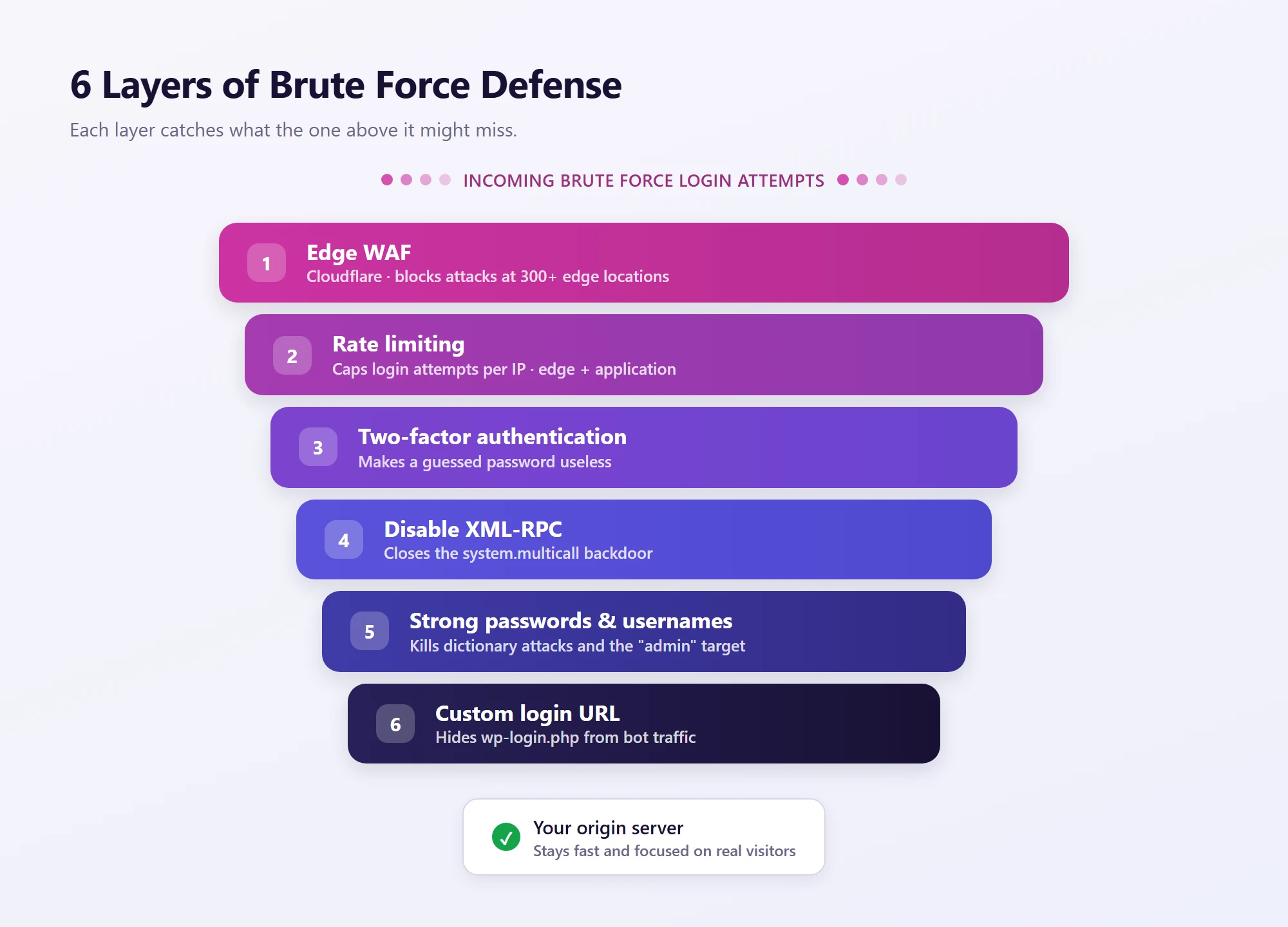
In reality, effective brute force protection works in layers. Each layer catches what the previous one might miss, and together they make a successful attack nearly impossible.
Layer 1: Block Attacks at the Edge (Before They Reach Your Server)
This is the most important layer, and it's the one most WordPress sites don't have.
Every login attempt that reaches your server consumes resources. PHP has to boot, WordPress has to load, the database has to be queried to check credentials. Even failed attempts cost you CPU, memory, and PHP workers. During a sustained brute force campaign, those costs add up fast.
A Web Application Firewall (WAF) that operates at the CDN edge solves this problem at the source. It evaluates incoming requests at the network level, before they ever reach your origin server. Known attack patterns, malicious IPs, and high-velocity login attempts get blocked at one of hundreds of global edge nodes. Your server never processes the request. PHP never boots. WordPress never loads.
This is the difference between your server fighting off an attack and your server not even knowing there was one.
On Levamo, Enterprise Cloudflare is included on every plan. That means WAF protection, bot mitigation, and rate limiting run at the edge across 300+ global locations. There's no extra charge and no configuration required on your part. Brute force attempts get filtered before they consume a single PHP worker on your server.
For a deeper look at how edge-level WAF protection works, check out our guide on Cloudflare WAF for WordPress.
Layer 2: Rate Limiting Login Attempts
Even with a WAF in place, you want rate limiting as a second line of defense. Rate limiting caps how many login attempts a single IP address (or IP range) can make within a given time window.
At the edge level: Cloudflare's rate limiting can detect and throttle high-frequency requests to wp-login.php before they hit your server. This catches attackers who try to slip under the WAF's pattern-matching by slowing their attempts down.
At the application level: WordPress plugins like Limit Login Attempts Reloaded or the login protection built into Wordfence can enforce per-IP lockouts after a set number of failed attempts. A common configuration is: lock out an IP for 20 minutes after 5 failed attempts, then increase the lockout duration for repeat offenders.
The edge-level approach is always better because it prevents resource consumption. But application-level rate limiting catches anything that makes it through, so running both is ideal.
Layer 3: Two-Factor Authentication (2FA)
Rate limiting slows down brute force attempts. 2FA makes them pointless.
Even if an attacker guesses your password (or obtains it from a data breach), they can't log in without the second factor. With authenticator-app-based 2FA, that second factor is a time-based code generated on your phone. The code changes every 30 seconds, and the attacker would need physical access to your device to get it.
This is why 2FA is considered the single most effective defense against credential-based attacks. It doesn't just make brute force harder. It makes a successful password guess worthless.
A few important details on 2FA for WordPress:
Use authenticator apps, not SMS. SMS-based 2FA is vulnerable to SIM swapping attacks, where an attacker convinces your carrier to transfer your phone number to their SIM card. Authenticator apps (Google Authenticator, Authy, 1Password) generate codes locally on your device and aren't tied to your phone number.
Enforce it for all admin users, not just yourself. The weakest link in your security is the team member who hasn't enabled 2FA. If you're running a membership site or WooCommerce store with multiple administrators, you need a way to require 2FA across the board.
On Levamo, the hosting dashboard supports authenticator-app 2FA with team-admin enforcement. That means account owners can require every team member to enable 2FA before they can access the hosting panel. This isn't just good security practice; it also supports PCI DSS 4.0.1 compliance requirements for multi-factor authentication, which matters if you're processing payments.
For WordPress itself, plugins like WP 2FA, Two-Factor, or Wordfence Login Security add 2FA to your wp-login.php page. Most support authenticator apps and can enforce 2FA for specific user roles.
Layer 4: Disable XML-RPC (If You Don't Need It)
As mentioned earlier, xmlrpc.php is a backdoor for brute force attacks that most site owners don't know exists. The system.multicall method lets attackers test hundreds of credentials in a single request, bypassing per-request rate limiting.
If you're not using XML-RPC (and most modern WordPress setups don't need it since the REST API replaced its functionality), you should block it.
Option 1: Block at the server level. For Apache servers, add this to your .htaccess file:
<Files xmlrpc.php>
    Order Deny,Allow
    Deny from all
</Files>
For Nginx:
location = /xmlrpc.php {
    deny all;
    return 403;
}
Option 2: Block at the edge. If your site is behind Cloudflare (or any CDN with WAF rules), you can create a rule that blocks all requests to xmlrpc.php. This is the preferred approach because the request never reaches your server.
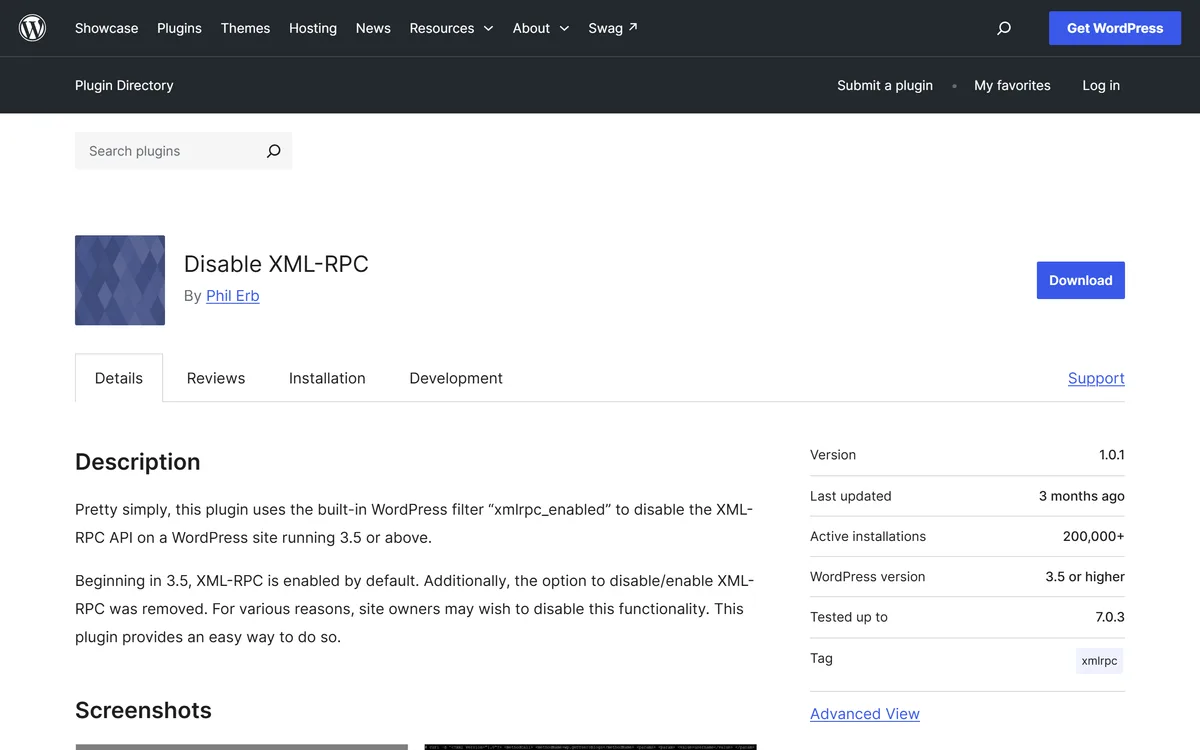
Option 3: Use a plugin. Plugins like Disable XML-RPC or the security settings in Wordfence can disable XML-RPC with a single toggle.
One caveat: if you use Jetpack, the WordPress mobile app, or any tool that relies on XML-RPC for remote publishing, disabling it will break those features. Check first, then disable.
Layer 5: Password and Username Hardening
This is the foundation layer. No amount of WAF protection or rate limiting matters if your admin password is "password123."
Use strong, unique passwords. A strong password is at least 16 characters, includes a mix of uppercase, lowercase, numbers, and symbols, and isn't reused anywhere else. Use a password manager (1Password, Bitwarden, or the browser's built-in one) to generate and store passwords. You shouldn't know your own WordPress password by heart, because if it's memorable, it's probably guessable.
Never use "admin" as a username. If your site still has an "admin" user, create a new administrator account with a unique username, transfer all content to it, then delete the old "admin" account. Attackers try "admin" first because they know it works on millions of sites.
Remove unused admin accounts. Every administrator account is a potential target. If a team member leaves or a developer's temporary account is no longer needed, remove it. Fewer admin accounts means fewer attack surfaces.
Layer 6: Change the Default Login URL (Optional but Useful)
Changing your login URL from /wp-login.php to something custom (like /my-secret-login) doesn't stop a determined attacker, but it does eliminate the bulk of automated bot traffic that targets the default URL.
Plugins like WPS Hide Login let you change the login URL with a single setting. It's security through obscurity, which means it should never be your only defense. But as an additional layer on top of everything above, it meaningfully reduces the volume of junk requests your other defenses have to process.
What Most Guides Miss: The Server Resource Problem
Here's something most brute force protection articles don't talk about: even blocked attacks cost you resources if they're blocked at the wrong level.
When a brute force bot hits your login page and your WordPress security plugin blocks it, here's what happened before the block:
-
The HTTP request traveled across the internet to your server
-
Your server accepted the TCP connection
-
PHP booted up
-
WordPress loaded (core files, active plugins, active theme)
-
The security plugin initialized
-
The plugin checked the request against its rules
-
The plugin returned a 403 (blocked)
That's a lot of server resources spent on a request you never wanted. Now multiply that by 10,000 attempts per hour during an active campaign. Your legitimate visitors, the people trying to buy products, access their course, or log into their membership, are competing with bots for the same PHP workers and database connections.
This is why Layer 1 (edge-level WAF) isn't just the first defense. It's the one that protects your site's performance, not just its security.
On Levamo, because Cloudflare's WAF sits in front of your server, brute force traffic is absorbed at the edge. Your LiteSpeed server, your PHP workers, your KeyDB/Redis object cache, and your MariaDB database stay focused on your actual visitors. It's the difference between your store's checkout flow stuttering during an attack and your visitors not noticing anything at all.
This matters most for sites running dynamic, logged-in workloads: WooCommerce stores processing orders, membership platforms serving gated content, LMS sites delivering courses. These applications need every PHP worker they can get. An edge-level WAF ensures bots don't steal them.
A Quick Brute Force Protection Checklist
Here's a summary you can reference when hardening your site:
| Defense Layer |
What It Does |
Where It Runs |
| Edge WAF (Cloudflare) |
Blocks known attack patterns before they reach your server |
CDN edge (300+ locations) |
| Rate limiting |
Caps login attempts per IP within a time window |
Edge + application level |
| Two-factor authentication |
Makes guessed passwords useless without a second factor |
WordPress login + hosting dashboard |
| Disable XML-RPC |
Closes the system.multicall backdoor for bulk credential testing |
Server config or edge rule |
| Strong passwords |
Eliminates dictionary attacks and common password guessing |
User behavior + password manager |
| Unique usernames |
Removes the default "admin" target |
WordPress user management |
| Custom login URL (optional) |
Reduces automated bot traffic to login page |
WordPress plugin |
No single layer is bulletproof. The combination is what makes brute force attacks a non-issue.
Wrapping Up
Brute force attacks are common, persistent, and entirely preventable. The key is layering your defenses so each one catches what the previous might miss: edge-level filtering absorbs the bulk of attack traffic before it touches your server, rate limiting throttles what slips through, 2FA renders stolen passwords useless, and basic hygiene (strong passwords, no "admin" username, disabled XML-RPC) eliminates the easy wins attackers rely on.
The biggest mistake site owners make isn't ignoring brute force protection entirely. It's relying on a single plugin that processes every malicious request at the application level, burning server resources in the process. The goal isn't just to block attacks. It's to block them efficiently, in a way that doesn't degrade performance for your actual visitors.
For a broader overview of WordPress security beyond brute force, check out our WordPress security best practices guide.